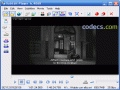
MV2Player 07 RC2
5
from 8 Reviews
There are many multimedia players available for free, and one of them is MV2Player. If you are using an older computer, this one can be the perfect choice.
MV2Player has not been updated anymore since 2004, but if your computer does not run the latest versions of Windows and you install this piece of software, you will be pleased with the many features that MV2Player can offer you, in spite of its old age.
The most important features that will attract your attention when using this program are the easiness of use (while advanced users can enjoy extra settings), the easy keyboard control, the variety of multimedia formats it supports and the skins you can choose from.
Moreover, this application older than a decade offers intelligent subtitles detecting and loading.
MV2Player enables you to organize your media files using a Scan function which detects movies, pictures and music and creates lists.
Even if you are a beginner user, you can easily work in MV2Player. The basic commands are extremely easy to operate.
Thus, if you want to add subtitles to a video, you can drag and drop them over the window video; files can be imported using the drag and drop method or the file browser; you can keep the last settings of each video using “local configs” and you can add new skins to MV2Player by copying the MVZ or SK2 file to the skin directory.
MV2Player doesn’t work perfectly on Windows 7.
This application is definitely recommended for older computers. Its wide range of configuration options while the amount necessary resources is maintained small will definitely convince you that MV2Player is a good fit in a system running older versions of Windows.
The most important features that will attract your attention when using this program are the easiness of use (while advanced users can enjoy extra settings), the easy keyboard control, the variety of multimedia formats it supports and the skins you can choose from.
Moreover, this application older than a decade offers intelligent subtitles detecting and loading.
MV2Player enables you to organize your media files using a Scan function which detects movies, pictures and music and creates lists.
Even if you are a beginner user, you can easily work in MV2Player. The basic commands are extremely easy to operate.
Thus, if you want to add subtitles to a video, you can drag and drop them over the window video; files can be imported using the drag and drop method or the file browser; you can keep the last settings of each video using “local configs” and you can add new skins to MV2Player by copying the MVZ or SK2 file to the skin directory.
MV2Player doesn’t work perfectly on Windows 7.
This application is definitely recommended for older computers. Its wide range of configuration options while the amount necessary resources is maintained small will definitely convince you that MV2Player is a good fit in a system running older versions of Windows.
Reviews & Comments
MV2Player 07 RC2
Best player ever!!!
MV2Player 07 RC2
totally agree with you.
this player is simply genial, very intuitive and full with options, i simply love all the possibilities that whe can make.
Very fast and open almost everything..
Too bad that there is no update for a long time..
but it works!!!
this player is simply genial, very intuitive and full with options, i simply love all the possibilities that whe can make.
Very fast and open almost everything..
Too bad that there is no update for a long time..
but it works!!!
MV2Player 07 RC2
BEST multimedia player EVER, till today.
I use winamp for sound & mv2 for anything visual.
I use winamp for sound & mv2 for anything visual.