Checking Installed VIDEO and AUDIO Codecs In Windows XP
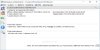
To review the installed video and audio codecs on your Windows XP system, follow these simple steps:
Click the START button and locate the Control Panel.
Within the Control Panel, click on the Sounds and Audio Devices Properties icon.
Select the Hardware tab and highlight VIDEO CODECS. Click the Properties button, and then choose the PROPERTIES tab to access information about the installed video codecs.
Double-click on a specific codec to view its properties. If the codec offers customizable options, you'll find them by double-clicking on the codec name.

Repeat the process for Audio Codecs by selecting AUDIO CODECS in the Hardware tab.
This basic guide serves as a quick reference to help users easily identify and inspect their installed codecs on Windows XP, eliminating the need for guesswork.
For a more advanced approach, consider using Sherlock - The Codec Detective!
This tool assists in determining installed codecs, checking for any broken codecs, and providing a more comprehensive analysis.
But How can I do it in Windows7 ?
Microsoft keep moving things around in the Control Panel!