Fire OS has no Xvid decoder, so an old AVI will not open on a Firestick until you install a player that carries its own.
That player is VLC for Fire, it is free, and it comes from Amazon's own store.
No sideloading, no APK file, no developer options.
Everything after the install is about the two things that go wrong next: the USB drive the stick refuses to see, and the film that plays in silence.
Xvid itself is a 2000s MPEG-4 format that aged better than its reputation, and our guide on whether Xvid is still worth keeping covers why so many of these files are still around.
What You Need
- Any Fire TV Stick - Lite, HD, 4K, 4K Max or the Cube.
- A Wi-Fi connection, which the stick needs to reach the Appstore anyway.
- Your Xvid files, either on a USB drive or in a shared folder on a PC or NAS.
Install VLC for Fire
VLC sits in the Amazon Appstore, which is the only app source Fire OS accepts without you turning on developer options.
- From the Fire TV home screen, open Find and then Search.
- Type VLC and pick VLC for Fire from the results.
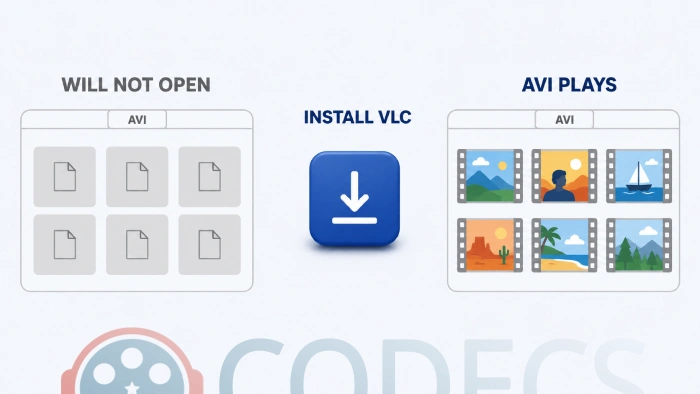
- Choose Get or Download, wait for it to finish, then choose Open.
VLC carries every decoder it needs inside the app, which is the same reason it plays Xvid on a computer with no Xvid Video Codec installed.
Play from a USB Drive
A Firestick has no USB socket - the port on the end is for power - so a drive has to arrive through an OTG adapter that feeds the stick and the drive at the same time.
How well this works depends on which stick you own. The Fire TV Stick 4K Max mounts an external drive properly and will even move apps onto it, while earlier sticks ignore the drive at the system level. On those, only apps that browse storage themselves can see it, and VLC is one of them.
- Format the drive as FAT32, which every Fire TV model reads.
- Connect it through a powered OTG adapter and plug that adapter's power lead into the mains.
- Open VLC, go to Browsing and then Devices, and the drive appears as a folder.
- Pick the .avi file and playback starts.
About exFAT. Some sticks mount exFAT drives and some quietly do not, so reformatting to FAT32 is the first thing to try when a drive never appears.
Stream from a PC or NAS
This is the easier route on any model, because nothing has to be plugged in and the size of the file stops mattering.
- Share the folder holding your videos from your PC or NAS over SMB.
- On the Firestick, open VLC and go to Browsing, then Local Network.
- Pick your computer from the list and enter its username and password if it asks.
- Browse to the folder and choose the file.
If your computer never appears in the list. Both devices have to be on the same network, so check the stick has not landed on a guest Wi-Fi or a band the router keeps isolated from the rest of the house.
When the Picture Plays but There Is No Sound
This is the most common complaint on old AVI files, and it is almost never the video codec's fault.
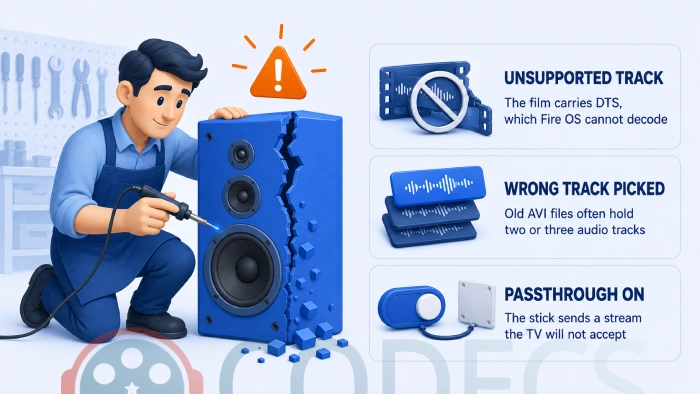
Check the audio track first, because films ripped in the Xvid era often carry two or three of them and VLC does not always land on the one you want.
Open the audio menu during playback and step through the tracks - an empty or foreign-language track is the answer more often than anyone expects.
If every track is silent, the problem has moved from the file to what the stick is sending your TV.
Go to Settings, then Display & Sounds, then Audio, and set Surround Sound to Stereo. That makes the stick decode the audio itself instead of passing along a stream your TV may refuse, and it clears most cases of silent playback.
DTS is the one format that will not come back. Fire OS decodes AC3, EAC3, AAC and MP3 but not DTS, so a DTS track only produces sound if a receiver further down the chain decodes it for you.
When Nothing Plays at All
AVI is a container rather than a codec, so a file that defeats VLC usually turns out not to be Xvid in the first place.
Check it on a computer with MediaInfo or one of the other codec identifiers on this site.
Our Codec Finder answers the same question in a browser if the file is somewhere you can reach from a laptop or a phone.
A file that stops at the same second every time was never fully downloaded, and no player will repair that.
Who Should Look Elsewhere
The tell is the bitrate rather than the codec.
A Firestick decodes MPEG-4 ASP in software rather than on dedicated hardware, so a large, high-bitrate Xvid file arriving over slow Wi-Fi can stutter whichever player you point at it.
If that describes your library, convert it once on a PC instead of fighting it every evening, because HandBrake turns Xvid into H.264 that the stick decodes in hardware.
Our StaxRip and HandBrake comparison covers the settings, and VLC converts files too if you would rather not install anything else.
Kodi, MX Player and the Rest
VLC gets the recommendation here for one reason: it is in the Amazon Appstore, so installing it needs a remote and nothing else.
Kodi and MX Player both handle Xvid perfectly well, and both mean sideloading an APK onto the stick.
If you go that way, run the file through our APK Checker first and see whether it needs Google services with Play Store Check.
MX Player also splits some formats out into a separate custom codec download, and the rest of the Android APK section is worth a look if you are already sideloading.
The same gap turns up on other living-room hardware, which we cover for AVI and DivX on a Samsung QLED TV and for players on Android TV.
Troubleshooting
| Symptom | What is actually happening | What to do |
|---|---|---|
| VLC never lists your USB drive | An unpowered adapter cannot feed the drive, and sticks before the 4K Max ignore external storage at the system level | Use a powered OTG adapter, format the drive FAT32, and stream over the network instead if it still refuses |
| Your PC never shows up under Local Network | The stick and the computer are not on the same network segment | Move both onto the same Wi-Fi network and take the stick off any guest network |
| Picture plays, no sound at all | Either the wrong audio track is selected, or the stick is passing a stream the TV cannot take | Step through the audio tracks first, then set Surround Sound to Stereo |
| Sound works on some films and not others | The silent ones carry DTS, which Fire OS has no decoder for | Re-encode the audio to AC3 or AAC, or route the stick through a receiver that decodes DTS |
| Network playback stutters | Wi-Fi is the bottleneck rather than the codec | Move to a 5 GHz network or an Ethernet adapter before touching any playback setting |
| Nothing plays and VLC reports an error | The file is probably not Xvid, or the download never finished | Check it with MediaInfo on a computer before trying another player |
Quick questions
Can I install the Xvid codec on a Firestick?
No, and nothing else can either. Fire OS has no system-wide codec store, so the decoder has to live inside the player, which is exactly how VLC for Fire is built.
Does a Firestick play Xvid without any app?
No. Fire OS decodes H.264, HEVC and a short list of others, and the MPEG-4 ASP standard that Xvid is built on is not among them.
Are all AVI files Xvid?
No. AVI is a container, and the video inside can be almost anything, so check with MediaInfo before assuming the codec is your problem.
Do I have to sideload anything?
Not for VLC, which installs from the Amazon Appstore like any other Fire TV app. Kodi and MX Player are the ones that need an APK.
Will a USB drive work on my Firestick?
On the 4K Max, yes, and the system mounts it properly. On earlier sticks the drive is invisible to Fire OS but VLC can still browse it, provided the OTG adapter is powered.
Is VLC better than Kodi or MX Player for this?
For Xvid specifically, yes, because it decodes the format out of the box and installs without sideloading. Kodi earns its place when you want a library rather than a player.
One free app from Amazon's own store is the whole answer to Xvid on a Firestick, and the problems left over afterwards are nearly always the drive or the audio output rather than the codec.
Get VLC for your computer too if you would rather check a file before it reaches the television, or tell us which step sorted it.


Latest comments
AllInteresting development with the Fire TV Stick 4K — losing Kodi sideloading is a big deal for a lot of users. For those ...
News: The New Fire TV Stick 4K Can't Run Kodi - Here's Which Fire Stick Still Can 3 commentsThanks genius, it worked for me. v2.4.149.0 on windows 10
Guide: How to Download HEVC Video Extension for Free 181 commentsXMediaRecode gives only the option to Copy (No convert) in Audio Mode drop down. I am trying to convert/recode the EAc3 ...
Team replied Guide: How to Convert EAC3 Audio to AC3 or AAC With XMedia Recode 1 comment