Converting every iPhone photo to JPEG just to see it on Windows costs you space and a little detail - two free Microsoft components let Windows open the originals instead.
iPhones save photos as HEIC, a format Windows cannot open until you add the right components.
Most people reach for a converter, but that doubles the space the photos take and throws away data the originals still hold.
Here is what converting really costs, when it is still worth doing, and the free fix for everything else.
What Converting Costs You
A HEIC photo is often around half the size of the same photo saved as JPEG. Convert a 3GB library and the JPEG copies alone take about 6GB.
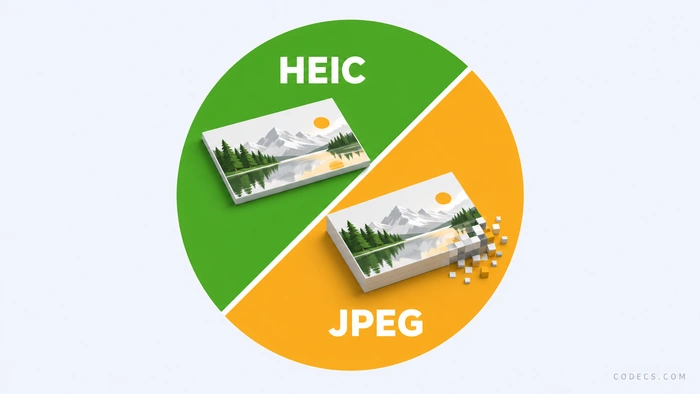
JPEG is also lossy, so every conversion gives up a little detail in skies, shadows and smooth gradients. At high quality you will rarely see it, but it never comes back.
Many converters also drop extras stored inside the HEIC, such as the depth data that lets you adjust Portrait mode blur later. Your originals keep all of it - the loss is only in the copies.
The Free Fix: Two Microsoft Components
HEIF Image Extensions teaches Windows the HEIC file format. The picture inside is compressed with HEVC, so Windows also needs an HEVC decoder - with only one of the two, you still get blank thumbnails.
On Windows 11, HEVC Video Extensions from Device Manufacturer is the free edition of the decoder Microsoft sells in the Store. On Windows 10, our free HEVC guide shows how to get it.
- Install HEIF Image Extensions. Double-click the downloaded file and choose Install.
- Install the HEVC decoder. Use the free edition for your version of Windows, as above.
- Restart File Explorer. In Task Manager, right-click Windows Explorer and choose Restart.
- Open a HEIC photo. Thumbnails now show in File Explorer, and the photo opens in Photos.
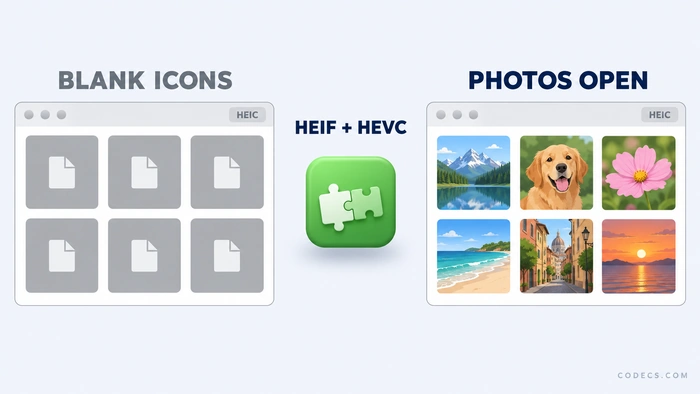
Still seeing blank icons? Our guide to opening HEIC photos covers the other causes.
When Converting to JPEG Still Makes Sense
- Sharing with someone on Windows 7 or 8, which cannot run these components.
- Uploading to a website or service that rejects HEIC files.
- Sending to a print lab that only accepts JPEG.
- Opening photos in older software that has no HEIC support.
For a whole folder, our XnConvert HEIC guide batch-converts it in one go. For one or two photos, ConvertICO's HEIC to JPG converter works in your browser.
You can also fix it on the phone. On the iPhone, Settings, Photos, Transfer to Mac or PC set to Automatic sends JPEG copies to your PC, and our iPhone HEIC guide explains both phone-side options.
No Microsoft Store? Two Alternatives
WIC for HEIC is a free open-source codec that gives File Explorer real thumbnails and lets Photos open HEIC files, with no Store involved. Do not install it alongside HEIF Image Extensions, and note that on some Windows builds it disappears after a reboot.
ImageGlass is a free image viewer with its own decoders, so it opens HEIC with nothing else installed. It will not fix File Explorer thumbnails, though - that still needs a codec.
Quick questions
Does converting HEIC to JPEG lose quality?
A little. JPEG is lossy, so each conversion throws away some detail that is usually invisible at high quality settings, and many converters also drop extras such as Portrait mode depth data.
Is HEIF Image Extensions enough on its own?
No. The picture inside an iPhone HEIC file is compressed with HEVC, so Windows also needs an HEVC decoder - install both.
Is the HEVC decoder free?
On Windows 11, yes - HEVC Video Extensions from Device Manufacturer is the free edition. On Windows 10, our free HEVC guide shows how to get it.
Can I stop my iPhone saving photos as HEIC?
Yes. In Settings, Camera, Formats, choose Most Compatible to shoot JPEG, or in Settings, Photos, set Transfer to Mac or PC to Automatic so only the copies sent to your PC are converted.
Do these extensions work on Windows 7 or 8?
No. They need Windows 10 version 1809 or newer, so on an older PC converting to JPEG is the practical route.
Does converting delete my Live Photos?
No. The moving part of a Live Photo is a separate video file, so converting the still photo leaves it untouched.
The bottom line
Keep converting for the few places that demand JPEG, and let Windows open everything else as it is. Tried the fix? Tell us how it went.


Latest comments
AllThis is great! How can we add an EPG?
Guide: Free Popular IPTV Playlist: Where to Get Fresh, Legal M3U Links in 2026 19 commentsThe link isn't working. [link]
Guide: Free M3U Playlist for TiviMate: Legal Lists That Load Cleanly 1 commentThe Vega OS shift is the biggest Firestick story of 2026. Anyone buying now needs to know: 4K Max = sideloading works, plain 4K = ...
News: The New Fire TV Stick 4K Can't Run Kodi - Here's Which Fire Stick Still Can 3 comments