Windows Media Player skins stop working on Windows 11 on November 10, 2026.

Microsoft has added the cut-off date to its own skin documentation for Windows Media Player Legacy.
If you still run the old player with a custom look, you have about six weeks to save your skins and pick a plan B.
What exactly is going away?
Only the skins. Microsoft's notice reads: "Skins will no longer be supported in Windows Media Player Legacy (WMPL) starting November 10, 2026, on Windows 11 version 24H2 and later."
Skins are the swappable designs that changed how the player looked - from the famous Classic skin to fan-made themes packed as .wmz files. After the cut-off, the player falls back to its standard look.
- Windows 11 version 24H2, 25H2 and the upcoming 26H2
- Only the Legacy player - the one with the orange-and-blue icon from the Windows 7 days
- Windows 10 is not included in the notice
What keeps working
The rest of Windows Media Player Legacy stays put. Playback, your music library, playlists and CD ripping are not part of this change.
The new Media Player app that ships with Windows 11 never supported skins, so there is nothing to lose there.
Why "early"?
Some Windows 11 users say the Classic skin has already stopped loading, weeks before the official date. Microsoft has not confirmed an early rollout, so treat November 10 as the deadline and don't wait until the last day.
It fits a pattern. Microsoft has been trimming the Legacy player for a while - its CD album-info lookup went dark earlier this year, and test builds now refuse to turn on captions in the Legacy app.
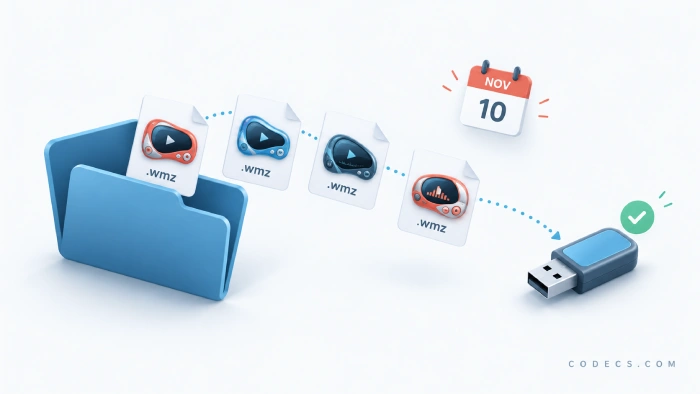
How to save your skins before November 10
- Press Win + R, type winver and press Enter to check your Windows 11 version.
- Open File Explorer and go to C:\Program Files\Windows Media Player\Skins.
- Copy every .wmz and .wms file to a USB stick or a cloud folder.
- Keep the files even if you switch players - they are your only copy if Microsoft ever changes course.
Backing up won't make skins work in WMP Legacy after the cut-off. It simply means you don't lose files that are hard to find online today.
Want a player that still does skins?
Good news - skins are alive and well in other free players. These four all run on Windows 11:
- Winamp + WACUP - the original skin king, with thousands of classic Winamp skins still around.
- AIMP - a light music player with a big skin library and a tidy default look.
- PotPlayer - a video player with swappable skins and colour themes.
- VLC Media Player - plays almost anything, and supports custom skins through its skinnable interface.
Staying with Windows Media Player?
If you only cared about playback, WMP Legacy still does the job after November 10. To help it open more video and audio formats, add a codec pack like the K-Lite Codec Pack.
Quick take: back up your .wmz files now, then either live with the plain WMP look or move to Winamp, AIMP or PotPlayer if a custom skin matters to you.


Latest news comments
AllThe Vega OS shift is the biggest Firestick story of 2026. Anyone buying now needs to know: 4K Max = sideloading works, plain 4K = ...
News: The New Fire TV Stick 4K Can't Run Kodi - Here's Which Fire Stick Still Can 2 commentsBrave just enabled it by default for stable users yesterday (1.97). Not specified is chromeOS will be passively gaining decode capability too, and ...
News: JPEG XL Is Back in Chrome: What It Means and How to Open JXL Files 1 commentI didn't know it was EU, AND france. That doesn't sound like a good idea. Related to coding or privacy.
News: Meet Qwant: The Private, EU-Built Alternative to Google 1 comment