The best graphics card for video encoding is not the fastest one for games - it is the one whose built-in encoder fits the videos you make.
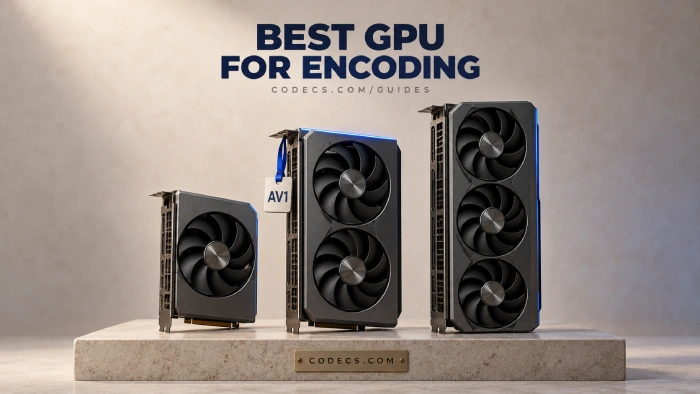
Every current card from NVIDIA, AMD and Intel has a dedicated video engine that encodes H.264, HEVC and AV1 far faster than your processor.
What separates them is quality at low bitrates, how many encoders the card carries, and the extra formats that video editors need.
Short answer: the RTX 5070 Ti for most creators, the Intel Arc B580 on a tight budget, and an RTX 5080 or 5090 only for heavy parallel work.
The Quick Pick
| Your situation | Pick | Why |
|---|---|---|
| Most creators and editors | NVIDIA RTX 5070 Ti | Two encoders, 4:2:2 support and 16GB of memory |
| Tight budget | Intel Arc B580 | Two media engines and strong AV1 for far less money |
| Many exports or streams at once | NVIDIA RTX 5080 or 5090 | Two or three encoders working in parallel |
| You want AMD for gaming too | AMD RX 9070 or 9070 XT | Much better H.264 than older Radeons, AV1 with B-frames |
| You already own an RTX 40, RX 7000 or Arc card | Keep it | It already encodes AV1 |
About the prices here.
Every price on this page is the launch price. Graphics cards sell well above those figures in 2026, partly because of memory chip shortages - an RTX 5070 launched at $549 and sold for around $799 new in September 2026.
What Actually Matters for Encoding
- AV1 support. It makes smaller files than H.264 at the same quality - see our guide on whether AV1 is better than H.265.
- The number of encoders. Extra encoders let the card run several jobs at once, such as streaming while recording.
- 4:2:2 colour. Many mirrorless cameras record 10-bit 4:2:2 HEVC, and editing it smoothly needs hardware that can decode it.
- Quality at low bitrates. Live streams often run at around 6 Mbps, where a weak encoder turns fast motion into blocks.
- Memory. 16GB or more keeps 4K editing timelines smooth in DaVinci Resolve and Premiere Pro.
NVIDIA RTX 50: The Safe Choice
Every RTX 50 card uses NVIDIA's ninth-generation encoder, NVENC. NVIDIA says it improves HEVC and AV1 quality by about 5% and adds an AV1 Ultra Quality mode.
It also encodes and decodes 4:2:2 video, which matters to anyone editing footage from a mirrorless camera. NVIDIA claims the RTX 5090 exports up to 60% faster than the RTX 4090 in editors that use all of its encoders.
| Card | Encoders | Decoders | Launch price |
|---|---|---|---|
| RTX 5090 | 3 | 2 | $1,999 |
| RTX 5080 | 2 | 2 | $999 |
| RTX 5070 Ti | 2 | 1 | $749 |
| RTX 5070 | 1 | 1 | $549 |
| RTX 5060 Ti | 1 | 1 | $379 |
| RTX 5060 | 1 | 1 | $299 |
The RTX 5070 Ti is the sweet spot: the same two encoders as the RTX 5080 at three quarters of its launch price. NVENC also has the widest software support - OBS Studio, HandBrake, DaVinci Resolve and Premiere Pro all use it.
Two encoders are also what make streaming several qualities at once possible without a second PC - our news piece on simultaneous streaming covers how that works.
Intel Arc B580: Best on a Budget
The Arc B580 launched at $249 with 12GB of memory and two media engines, each with its own encoder and decoder. It encodes AV1, HEVC and H.264, and decodes the 10-bit 4:2:2 HEVC that mirrorless cameras record.
At launch, some editing tests ran slower than expected, which reviewers put down to drivers. Keep it updated through Intel Graphics Software, and check your editor's support before buying it mainly for editing.
The Arc B570 is the cheaper sibling, with 10GB of memory at a $219 launch price. A larger Arc B770 had been reported but not released as of September 2026.
AMD RX 9070: Much Improved
AMD's older Radeon cards had a reputation for weak H.264, which is the format most live streams still use. AMD says the RX 9070 series fixes much of that, with clearly better H.264 at streaming bitrates and about 11% better HEVC quality than the RX 7900 XTX.
AV1 encoding now uses B-frames, which squeeze more quality into the same bitrate. The RX 9070 XT launched at $599 and the RX 9070 at $549, both with 16GB of memory.
If you want a Radeon for gaming, it is a capable encoder. If encoding is the main job, NVIDIA's wider software support still gives it the edge.
Already Have a Recent Card? You May Not Need to Upgrade
Every RTX 40 card, every Intel Arc card and every AMD RX 7000 card already encodes AV1. The RTX 4080 and 4090 even carry two encoders, as the RTX 5080 does.
What RTX 50 adds is 4:2:2 support, a small AV1 quality gain and a third encoder on the RTX 5090. Upgrade for those only if you edit 4:2:2 camera footage or run several exports at once.
The real line is the RTX 30 series and older: those cards decode AV1 but cannot encode it.
How to Put Your GPU to Work
- Update the driver. Use the NVIDIA App, AMD Software: Adrenalin Edition or Intel Graphics Software, since encoder features arrive with drivers.
- For streaming, pick the hardware encoder in OBS. In OBS Studio, go to Settings, Output and choose the NVIDIA NVENC, AMD or QuickSync option for AV1 or HEVC.
- For exports, use a GPU preset. In HandBrake, choose a video encoder with NVEnc, QSV or VCE in its name.
- For editing, check the render settings. DaVinci Resolve offers the hardware encoder on the Deliver page when your card supports the chosen format.
- Not sure which card you have? Task Manager, Performance, GPU shows the name, and GPU-Z shows the full details.
Quick questions
What is the best GPU for video encoding in 2026?
For most creators, the RTX 5070 Ti: two ninth-generation encoders, 4:2:2 support and 16GB of memory. On a tight budget the Intel Arc B580 is the pick, and the RTX 5080 or 5090 make sense only for heavy parallel exports or multi-stream setups.
Is GPU encoding as good as CPU encoding?
It is much faster, but a slow CPU encode with x265 or SVT-AV1 still gives a smaller file at the same quality. Use the GPU for streaming and quick exports, and the CPU when file size matters most, such as archiving.
Do I need an RTX 50 card to encode AV1?
No. Every RTX 40 card, Intel Arc A and B series card and AMD RX 7000 or RX 9000 card encodes AV1. RTX 30 and older NVIDIA cards can only decode it.
Does the number of encoders matter?
Mostly when you run several jobs at once, such as streaming while recording or exporting several files. Some editors can also split one export across encoders, which is where the bigger cards pull ahead.
Is Intel Arc good for video editing?
It is the best value for encoding, with two media engines and strong AV1. Keep the driver up to date, because early drivers held back some editing results.
How do I check which graphics card I have?
Open Task Manager, go to the Performance tab and click GPU - the card's name is in the top right corner. GPU-Z shows more detail, including the driver version.
The bottom line
For most people the RTX 5070 Ti is the best encoding card in 2026, the Arc B580 is the budget pick, and a recent card you already own may need no upgrade at all. Bought one? Tell us which card you went with.


Latest comments
AllXMediaRecode gives only the option to Copy (No convert) in Audio Mode drop down. I am trying to convert/recode the EAc3 ...
Guide: How to Convert EAC3 Audio to AC3 or AAC With XMedia Recode 1 commentTo view major football league live
Guide: Free Popular IPTV Playlist: Where to Get Fresh, Legal M3U Links in 2026 20 commentsThe link isn't working. [link]
Guide: Free M3U Playlist for TiviMate: Legal Lists That Load Cleanly 1 comment