Streaming music is as easy as tapping your phone, and now every service wants to sell you a high-resolution tier on top. But can you actually hear the difference - or is hi-res just a fancy pitch?
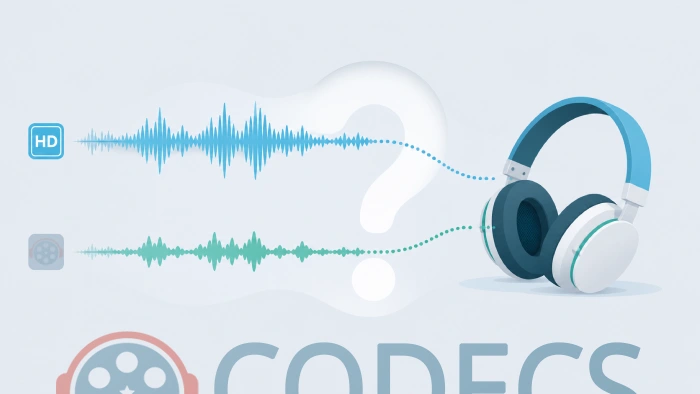
Hi-res audio promises richer, more detailed sound than the files most of us stream every day. The marketing is everywhere, and the upgrade tiers are not cheap.
So before you pay for a hi-res subscription or a new pair of headphones, here is the plain-English answer - and a way to test it yourself for nothing.
For most people, on everyday headphones or phone speakers, high-res audio sounds the same as a good lossless file. Do not spend a penny until you have tested it.
And you can test it for free: grab a lossless FLAC track, play it in a free player like foobar2000, and listen. If it wows you, wonderful. If it does not, you just saved a small fortune.
What actually counts as high-res audio?
Two numbers decide it: sample rate (how many times per second the sound is measured) and bit depth (how much detail each measurement holds).
A normal CD is 44.1 kHz / 16-bit. Anything above that - typically 96 kHz / 24-bit or higher - gets sold as high-res. Think of it as the jump from HD to 4K video: more raw data, in theory more detail.
High-res almost always comes as a lossless file, usually FLAC. Lossless means nothing was thrown away to shrink the file, unlike an MP3. That part is real and genuinely nice to have.
The honest question: can you even hear it?
Here is the catch the ads skip. The extra data in a hi-res file lives mostly in frequencies above what human ears can pick up, and in a noise floor quieter than any room you will ever sit in.
In careful blind tests, most listeners cannot reliably tell CD-quality from hi-res on the same track. The difference you sometimes hear is usually a better master or a better recording, not the higher numbers themselves.
The people who genuinely benefit have three things at once: quiet trained ears, a proper DAC and amp, and good headphones or speakers. On phone speakers or airport earbuds, the numbers do nothing.
Download a free lossless sample and play it against your usual streaming quality. A free player like foobar2000 handles FLAC, WAV and hi-res files perfectly, or VLC Media Player plays anything you throw at it with zero setup.
If you cannot hear a clear difference on your own gear, that is your answer - and it cost you nothing to find out.
How to spot fake high-res audio
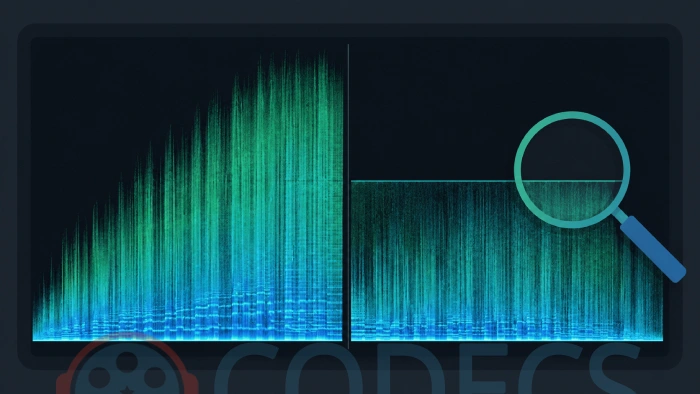
Not every file labelled "hi-res" actually is one. A common trick is upscaling: taking an ordinary MP3 or CD track and re-saving it at 24-bit / 96 kHz so the specs look premium. The file is bigger, but no real detail was added.
The tell: open the track in Audacity and switch the track view to Spectrogram. A true hi-res recording shows sound stretching up toward the top of the frequency range. A faked one shows a hard flat line - a brick wall - where the original file was cut off. That cliff is upscaling, plain as day.
If a "hi-res" download is suspiciously small, or a bundle promises hundreds of hi-res albums for a few dollars, treat it as upscaled until the spectrogram proves otherwise.
When high-res is actually worth it
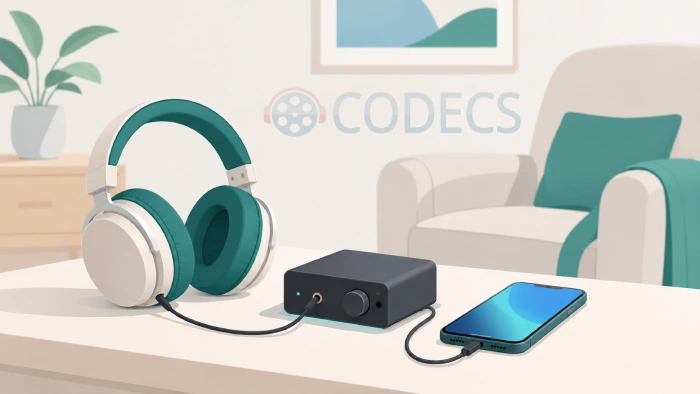
It is not a scam - it is just not for everyone. High-res earns its place when a few things line up:
- You have a dedicated DAC, amp, and good wired headphones or speakers.
- You listen closely in a quiet room, not on a commute.
- You already notice the gap between MP3 and lossless and want the best available master.
- You are archiving music and simply want the highest-quality copy, whether or not you can hear every bit.
If none of those describe you, plain lossless is already excellent, and standard streaming is more than enough.
Storage, streaming, and what you are really paying for
Hi-res files are large - often five to ten times the size of an MP3. That eats phone storage and mobile data fast, especially if your library is already bursting.
Streaming tiers and gear change every year, so do not lock into a promise. Judge it by your own ears on your own equipment today, not by the spec sheet or the price. If you cannot hear it now, a bigger number on the label will not change that.
Quick questions
Is high-res audio better than CD quality?
On paper, yes - more data and a lower noise floor. In practice, most listeners cannot reliably hear the difference on normal gear. Lossless CD-quality already captures everything human ears can detect.
Do I need special headphones for hi-res?
To hear any possible benefit, yes - good wired headphones or speakers, usually with a dedicated DAC and amp. On phone speakers or standard Bluetooth earbuds, hi-res sounds the same as a good regular file.
Is FLAC the same as high-res?
Not exactly. FLAC is a lossless format - it can hold CD-quality audio or true hi-res. A FLAC file is only "hi-res" if it was recorded above 44.1 kHz / 16-bit. The format is the container; the numbers make it hi-res.
Can my phone play high-res audio?
It will play the file, but the built-in DAC and speaker are the weak link, so you rarely hear the benefit. Install a free player like foobar2000 or VLC and plug in good wired headphones to give it a fair chance.
How do I check if a file is really hi-res?
Open it in Audacity and look at the Spectrogram view. Real hi-res reaches high up the frequency range; a fake upscale shows a hard cutoff line where the original file ended.



Latest comments
AllXMediaRecode gives only the option to Copy (No convert) in Audio Mode drop down. I am trying to convert/recode the EAc3 ...
Guide: How to Convert EAC3 Audio to AC3 or AAC With XMedia Recode 1 commentTo view major football league live
Guide: Free Popular IPTV Playlist: Where to Get Fresh, Legal M3U Links in 2026 19 commentsThe link isn't working. [link]
Guide: Free M3U Playlist for TiviMate: Legal Lists That Load Cleanly 1 comment