Your work laptop will not let you install Chrome. The school PC blocks browser installs. The hotel computer remembers every site you visit. One fix covers all three - and it fits on a USB stick.
Chrome Portable is the full Google Chrome browser packed to run from a USB drive. No installer, no admin password, no changes to the PC you plug it into.
Double-click it and Chrome opens with your bookmarks and extensions. Unplug the drive and your browsing goes with you.
Who Chrome Portable is for
- Locked-down work PCs that block installs but let you run programs from your own folders.
- School and library computers that wipe your settings at every log-out.
- Several PCs, one browser - the same setup at work, at home and on the laptop.
- Testing - a second, separate Chrome next to your normal one.
If none of these fit, the normal Google Chrome installer is simpler.
Portable vs installed Chrome
It is the same browser - same engine, same Chrome Web Store, same sync. The difference is where your files live: installed Chrome keeps them on the PC, Chrome Portable keeps everything in one folder on your drive.
Two trade-offs to know before you start:
- It does not update itself. You update it by hand, about once a month (see below).
- Saved passwords are tied to one PC. Windows locks them to the computer they were saved on. Sign in to Chrome sync if you want your passwords on every PC.
Set up Chrome Portable on a USB drive
Do this at home on your own PC - it takes about ten minutes.
- Pick a USB 3 drive of 32 GB or more. A USB 3 stick or a small portable SSD. Use a blue USB port - blue usually means USB 3.
- Format it as exFAT. In File Explorer, right-click the drive, choose Format, set File system to exFAT, leave the allocation size at default and tick Quick Format. This erases the drive.
- Download Chrome Portable. It is a small file of about 1.5 MB. Do this at home, because the next step downloads Chrome itself.
- Run it from a folder on the USB drive. Put the file in a folder on the drive, such as ChromePortable, and double-click it. The first run downloads Chrome, about 400 MB.
- Sign in, or do not. Sign in to Chrome to sync bookmarks and passwords, or stay signed out on computers you do not trust.
From now on, plug the drive into any Windows 10 or 11 PC, open the folder and double-click Chrome Portable.
Which drive?
Chrome reads and writes lots of small files, so a slow stick feels slow. An ordinary stick is fine for occasional use; if you use Chrome Portable every day, a small portable SSD is much quicker. Our USB stick vs SSD guide explains the difference.
Why exFAT
- exFAT - the best choice. No file-size limit and it works on every Windows PC.
- NTFS - also fine on Windows, and survives a yanked drive a little better.
- FAT32 - avoid it. Any single download over 4 GB fails.
Privacy on shared and public PCs
Chrome Portable keeps your history and cookies off the PC - but only if you set it up well. Before you use it anywhere public:
- Use an Incognito window on PCs you do not trust. Keep your normal profile for your own and trusted machines.
- Turn off background apps. In Settings, System, switch off Continue running background apps when Google Chrome is closed, so Chrome fully quits.
- Delete site data on exit. In Settings, Privacy and security, Site settings, Additional content settings, On-device site data, choose Delete data sites have saved to your device when you close all windows.
- Encrypt the drive. BitLocker To Go (right-click the drive, Turn on BitLocker) works well: the drive unlocks with a password on any Windows PC, no admin rights needed. Setting it up needs Windows Pro.
- Close Chrome, then eject. Pulling the drive while Chrome is writing can damage your profile.
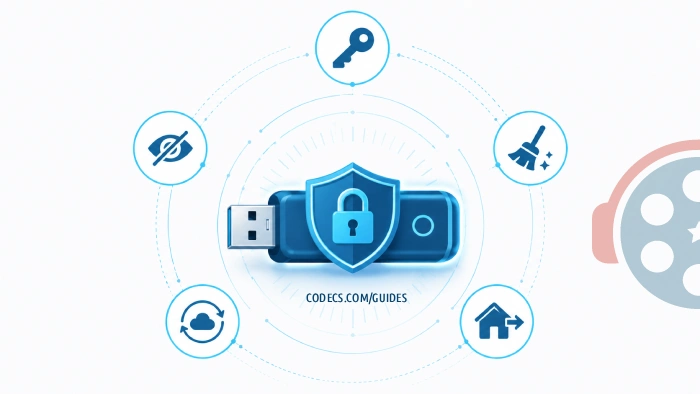
If you sign in to sync, encryption is a must. A lost, unencrypted drive is an open door to your Google account.
Keep it updated
Chrome gets a new version every four weeks, plus security fixes in between. Chrome Portable does not install them on its own, and a browser that travels between PCs is the last one you want out of date.
Once a month, download the latest Chrome Portable and run it over the same folder on your drive. The App folder is replaced; the Data folder, with your bookmarks, extensions and settings, stays as it is.
Fix: "Your profile could not be opened correctly"
This almost always follows pulling the drive out while Chrome was open. Close Chrome, open the folder Data\profile\Default on the drive, rename the file Web Data to Web Data.old, and start Chrome again. It rebuilds the file.
Fix: Chrome Portable is slow to start
Usually the drive or the port. Try a different USB port - some laptops still have USB 2 ports that look the same. If it is still slow, the stick itself is the bottleneck.
Fix: "This program is blocked by group policy"
The PC's owner has blocked programs on USB drives. There is no fix on your side - ask IT to allow it, and respect the rule if they say no.
Fix: a video will not play
Chrome plays video with its own built-in decoders, so installing codecs on the PC changes nothing. The usual causes are a streaming service's copy protection being blocked on that PC, or an out-of-date Chrome Portable - update it first.
Want open source? Chromium
Chromium is the open-source browser Chrome is built on, with far less contact with Google. The catch: it leaves out H.264 video and the Widevine copy protection, so Netflix and similar services refuse to play. Our Chromium vs Chrome guide covers the full list.
Need a whole system, not just a browser?
For a completely clean environment - online banking on a PC you do not trust, say - carry an operating system instead. ChromeOS Flex from a USB drive boots without touching the PC's disk, and you can even run Windows 11 from an external SSD.
Quick questions
Is Chrome Portable the real Chrome?
Yes. It is the same Google Chrome, with the same engine, extensions and sync. Only the place it keeps its files is different.
Does Chrome Portable need admin rights?
No. It runs from a folder you own. The one exception is a PC where the IT team has blocked programs on USB drives - that shows 'This program is blocked by group policy', and only IT can change it.
Do my saved passwords work on another PC?
Not reliably from the drive alone, because Windows locks them to the PC they were saved on. Sign in to Chrome sync and your passwords come from your Google account on any PC.
Does Chrome Portable update itself?
No. Download the latest Chrome Portable about once a month and run it over the same folder. Your Data folder, with bookmarks and settings, stays as it is.
Does it work on a Mac?
No, Chrome Portable is Windows only - Windows 10 and 11.
Does it leave anything on the PC?
Your history, cookies and bookmarks stay on the drive. Windows can still log that a program ran, and the network owner can still see which sites you visit.
The bottom line
A USB 3 drive, exFAT, Chrome Portable in a folder, and an update once a month - that is your own browser on any Windows PC. Where do you use it? Tell us.


Latest comments
AllTo view major football league live
Guide: Free Popular IPTV Playlist: Where to Get Fresh, Legal M3U Links in 2026 20 commentsThe link isn't working. [link]
Guide: Free M3U Playlist for TiviMate: Legal Lists That Load Cleanly 1 commentThe Vega OS shift is the biggest Firestick story of 2026. Anyone buying now needs to know: 4K Max = sideloading works, plain 4K = ...
News: The New Fire TV Stick 4K Can't Run Kodi - Here's Which Fire Stick Still Can 3 comments