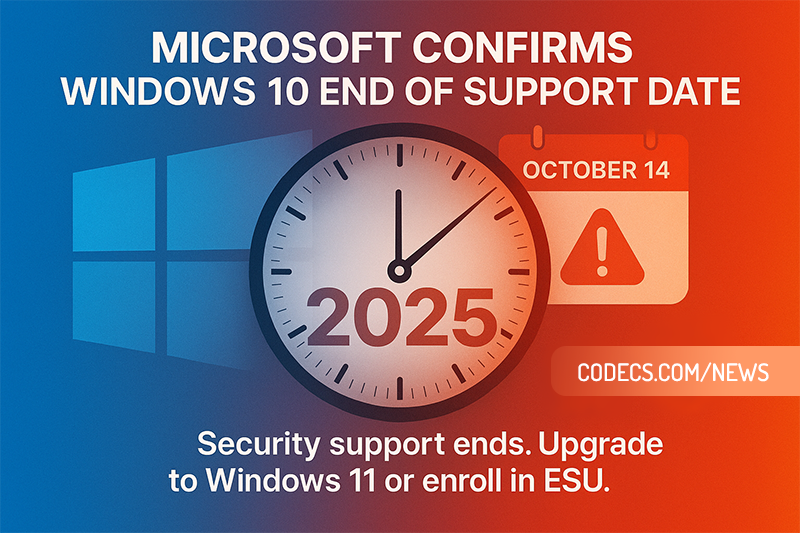
Windows 10 support ended on October 14, 2025 - and almost a year later, roughly one Windows PC in three is still running it, still getting security updates, and still perfectly usable.

The deadline was real, and it passed.
What changed afterwards is the part almost nobody noticed.
On June 25, 2026, Microsoft quietly pushed free security updates for home Windows 10 PCs out to October 12, 2027, with no announcement and no press release.
What Actually Happened on October 14, 2025
Windows 10 stopped receiving regular security updates, feature updates and Microsoft technical support on that date. Nothing switched off, nothing expired, and no PC refused to boot.
What ended was the free monthly patch. Everything else about the machine carried on exactly as before.
The short version. If you never enrolled in Extended Security Updates, your Windows 10 PC has had no operating system security patches since October 2025. If you did enrol, you are covered until October 2027 and you do not need to do anything else.
The Free Extension Nobody Announced
Consumer Extended Security Updates, or ESU, was originally sold as a single year of cover ending in October 2026. Microsoft extended it to October 12, 2027 without a blog post, an email or a notification.
If you are already enrolled, that extra year is automatic. No second payment, no re-enrolment, no action of any kind.
If you are not enrolled, you can still join at any point up to October 12, 2027 - and there are three ways in, two of which cost nothing.
- Free, by syncing your settings. Turn on Windows Backup for your PC settings with a Microsoft account and enrolment costs nothing.
- Free, with 1,000 Microsoft Rewards points. Points you may already have from Bing searches or the Microsoft Store.
- 30 US dollars, one payment. Plus local tax, and it covers up to 10 devices on the same Microsoft account.
In the European Economic Area the free route is simpler still: signing in with a Microsoft account is enough, without the settings-sync condition attached elsewhere.
What You Need Before You Can Enrol
The enrolment button appears in Settings > Update & Security > Windows Update, and Microsoft's own ESU page lists the same conditions. It only shows up once the PC meets every one of them.
- Windows 10 version 22H2, in the Home, Pro, Pro Education or Pro for Workstations edition.
- All available Windows updates installed - an out-of-date PC does not see the option.
- Signed in with a Microsoft account that is an administrator on the device, and not a child account.
That last one is the sticking point for a lot of people. If you have always used a local account, enrolling means signing in with a Microsoft account at least once, and it is worth going through the Windows privacy settings afterwards to decide what you are and are not sharing.
What ESU does not include. Critical and important security fixes only. No feature updates, no bug fixes, no new drivers and no Microsoft technical support, so a broken printer or a crashing app stays broken.

Some Things Are Still Supported Until 2028
This is where the picture gets genuinely confusing, because three separate Microsoft timelines are running at once and they all say different years.
Microsoft Defender Antivirus keeps receiving security intelligence updates on Windows 10 until at least October 2028, so its malware database stays current. Microsoft Edge and the WebView2 runtime carry on until at least October 2028 as well.
Microsoft 365 Apps get security updates on Windows 10 until October 10, 2028, though feature updates stop at version 2608 and the apps stay frozen there.
These are not a substitute for ESU. An up-to-date antivirus and an up-to-date browser sitting on an unpatched operating system still leave the operating system unpatched, and that is where the serious holes get found.
Windows 10 Is No Longer the Majority
When this article first ran, Windows 10 was on roughly 63 percent of the world's PCs and Windows 11 looked like the underdog. That flipped during 2026.
StatCounter put Windows 11 at 68.6 percent of desktop Windows in August 2026, against 30.1 percent for Windows 10. That is still hundreds of millions of machines, which is exactly why the free extension exists.
It is also a useful reminder that Microsoft has always treated Windows upgrades as a migration exercise rather than a product sale, something we dug into in why Microsoft made Windows 10 free in the first place.
Your Three Real Options Right Now
Whatever you decide, do the boring thing first and take a full image of your disk. Clonezilla is free, clones the whole drive, and turns a failed upgrade into a twenty-minute restore instead of a lost afternoon.
Stay on Windows 10 and enrol in ESU. The right call if the PC does the job and you would rather not touch it. You are buying time until October 2027, not a permanent solution.
Upgrade to Windows 11. Still free from a licensed Windows 10 install, with no announced end date, and your existing Windows 10 key or digital licence carries over. Our guide to getting Windows 11 for free covers which routes still work and which ones quietly stopped working years ago.
Replace the PC. The honest option if the machine is genuinely old and slow, rather than merely unsupported. Those are two very different problems.
If Your PC Fails the Windows 11 Check
Plenty of perfectly fast machines are blocked by the TPM 2.0 and processor-generation requirements rather than by any real shortage of power. That is what Flyoobe exists for.
It is a 406KB tool that installs Windows 11 using the Windows Server setup variant, which skips the TPM, Secure Boot and CPU checks entirely. No registry edits, no modified ISO.
One hard limit is worth knowing before you start: on Windows 11 24H2 and later, the POPCNT and SSE4.2 processor instructions are a genuine floor that nothing can bypass. Very roughly, that rules out desktop chips older than about 2009.
Worth knowing. A Windows 11 install on unsupported hardware still activates with your Windows 10 licence, still gets security updates in practice, and carries a Microsoft disclaimer that it is not guaranteed to.
Quick questions
Is Windows 10 still safe to use in 2026?
With ESU enrolled, yes - you are getting the same critical security fixes Windows 11 gets, until October 2027. Without it, your PC has had no operating system patches since October 2025, and every flaw found since then is still open on it.
Does the free ESU option really cost nothing?
Yes, but it is not free of conditions. Outside the European Economic Area you have to sign in with a Microsoft account and turn on settings sync, which is the price Microsoft is actually charging.
I paid the 30 dollars last year - do I have to pay again?
No. Devices already enrolled roll over to October 12, 2027 automatically, with no second payment and nothing to click.
What happens after October 12, 2027?
For consumers that is the end of the line, and no further extension has been announced. Defender definitions and Edge updates continue into 2028, but the operating system itself stops being patched.
Can I still upgrade to Windows 11 for free?
Yes. The upgrade from a licensed Windows 10 install is still free and Microsoft has never set an end date for it, despite the "limited time" wording that has sat on its FAQ since 2021.
Will my Windows 10 PC stop working?
No. It will keep booting, keep running your software and keep going online for as long as the hardware lasts - the risk is security, not sudden failure.
Windows 10 did not die in October 2025, but it is now living on borrowed time that runs out in October 2027 - and the free way to buy that time is one screen away in Windows Update.
If your PC is blocked from Windows 11 by a hardware check rather than by age, download Flyoobe and see whether it gets you across, or tell us how the deadline treated you if you have already made the jump.
EAC3 Audio Not Supported in MX Player? Fix It
4/5EAC3 Audio Not Supported in MX Player? Fix It
Read More →Free Popular IPTV Playlist: Where to Get Fres...
4/5Bonjour je peux avoir le lien M3U. Les codes playlist 2026 des chaînes en français et africainses
Read More →Best Way to Get VidMate APK - Fast, Free, and...
5/5The demand for feature-rich video editing applications continues to grow across the digital content industry. Filmora Mod APK is ...
Read More →