Quick answer: use Opus. Pick Ogg Vorbis only when the thing that has to play the file is too old to know what Opus is.
Both formats come from the same foundation, and both usually turn up wearing a similar file extension, which is where most of the confusion starts.
Opus is the newer of the two, and it is better at almost everything.
Ogg Vorbis is the older one, and it is still the safer bet for hardware that stopped getting updates years ago.
Why Opus Wins on Sound
Opus was built after Vorbis by the same team, and it carries two engines under one roof: one designed for speech, one designed for music. It switches between them as the audio changes, so a podcast and a piano recording both get the treatment they need.
In blind listening tests at 64 and 96 kbps, Opus beat libvorbis and the AAC encoders it was tested against. That is exactly the range where people store voice notes and stream music on a phone.
- Low bitrates stay listenable. Opus runs from about 6 kbps up to over 500 kbps and still sounds clean where Vorbis starts to smear.
- The delay is tiny. Opus can work with as little as 5 ms of delay, which is why calls and game chat use it; Vorbis was never designed for live conversation.
- One codec covers the lot. Speech, music and multichannel audio all go through the same encoder, with no profiles to juggle.
Xiph.Org, which built both formats, is blunt about it in its own Opus FAQ: Opus should replace Vorbis.
The One Thing Ogg Vorbis Still Does Better
Compatibility, and only compatibility.
Vorbis has been stable since 2002, which gave it time to reach a whole generation of car stereos, portable players, set-top boxes and game engines that shipped before Opus existed. Those devices will never learn a new codec.
It is also still in daily use on the software side. Spotify streams music as Ogg Vorbis, and our guide on how Spotify streams Ogg Vorbis covers what that means for sound quality.
Plenty of games and game mods still carry their audio as Vorbis too, simply because that is what the engine reads.
Which File Do You Actually Have?
Both codecs sit inside the same Ogg container, so they look almost identical on disk. The extension is the tell.
- .ogg is almost always Vorbis, and it is the one older players recognise.
- .opus is always Opus, and anything that opens it was made in the last decade or so.
- .oga can be either, which is why it is the extension that trips players up.
If Windows refuses to open one of them, that is a missing decoder rather than a broken file.
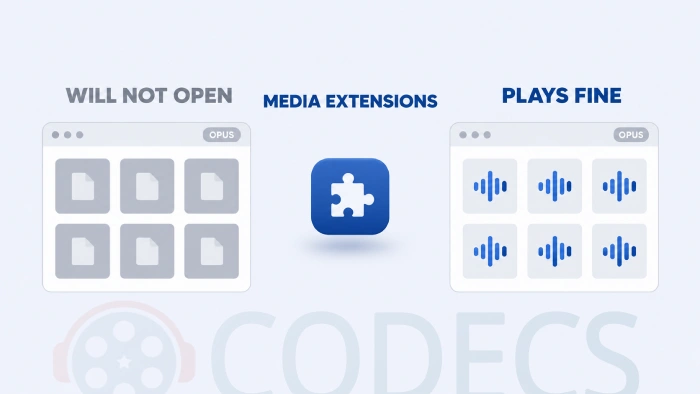
The quick fix: install Web Media Extensions and Windows will handle Ogg, Vorbis and Opus in its own apps.
If you would rather not touch the system at all, VLC Media Player and foobar2000 both play every one of these formats out of the box.
Pick One in Ten Seconds
| What you are doing | Use | Why |
|---|---|---|
| Encoding your own music library | Opus | Smaller files at the same quality, and every current phone and browser plays them. |
| Voice notes, podcasts, calls, game chat | Opus | It was designed for speech and stays clear at bitrates Vorbis cannot reach. |
| Audio on a website or in an app | Opus | Every current browser decodes it, and the files are the smallest of the two. |
| Music for a car stereo or an old portable player | Ogg Vorbis | The hardware learned Vorbis years ago and was never taught Opus. |
| Replacing audio in an existing game or Ogg project | Ogg Vorbis | Match what the engine already reads rather than fighting it. |
| Archiving CDs or masters you cannot replace | Neither | Both throw audio away. Use FLAC for anything you want to keep intact. |
Making the Files Yourself
The reference encoders for Opus and Ogg Vorbis are both small, free and command-line driven, so most people reach for something with buttons instead.
X Opus Encoder is a free Windows app built for exactly that job: point it at a folder, pick a bitrate mode and it encodes the lot to Opus while keeping tags and album art. It needs FFmpeg installed alongside it.
If you would rather follow a step-by-step walkthrough in a general-purpose converter, our guide on creating Opus files with MediaHuman Audio Converter covers the same job.
For anything more specific about the format itself, the Opus Audio Codec FAQ answers the questions that come up most often.
Quick questions
Which one sounds better at the same file size?
Opus, clearly, below roughly 128 kbps. Above that both formats get close enough to the original that most people stop hearing a difference on ordinary equipment.
Can I rename an .ogg file to .opus to convert it?
No. The extension is only a label, and the audio inside is still Vorbis, so renaming it usually stops it playing at all. Re-encode it with a converter instead.
Will my car stereo or old portable player handle .opus?
Usually not, unless the device is recent. If the manual mentions Ogg Vorbis and says nothing about Opus, encode to Vorbis and save yourself the trip back to the computer.
Is Opus really free to use?
For listening, encoding and putting audio on your own site, yes, and the reference software is open source. A patent pool aimed at hardware and device makers was launched later and is disputed, but it has no bearing on personal use.
Should I re-encode my old Vorbis files to Opus?
Only if you are short of space and the files still play everywhere you need them to. Converting one lossy format to another always loses a little more quality, so going back to the original CD or download is the better move.
Opus for anything new, Ogg Vorbis for anything old. That covers almost every case.
Download the Opus Audio Codec and encode a test track with it, then tell us what your gear actually played.


Latest comments
AllI used [link] on tivimate with the Usa m3u Playlist. I cannot get the guide to work.
Team replied Guide: Free EPG URLs for IPTV: TV Guide Links That Still Work 2 comments[link] Epg is not working on this one.
Team replied News: Free USA IPTV Playlist: The American TV That Is Really Free 1 commentSi mund te shikoj te gjitha kanalet e DigitAlb dhe Tring me url pa pagese ne Iptv Player?
Team replied Guide: Free Popular IPTV Playlist: Where to Get Fresh, Legal M3U Links in 2026 20 comments