Firefox 157 can now hand the AV1 video in a web call to your graphics chip, instead of making the processor grind through every frame.
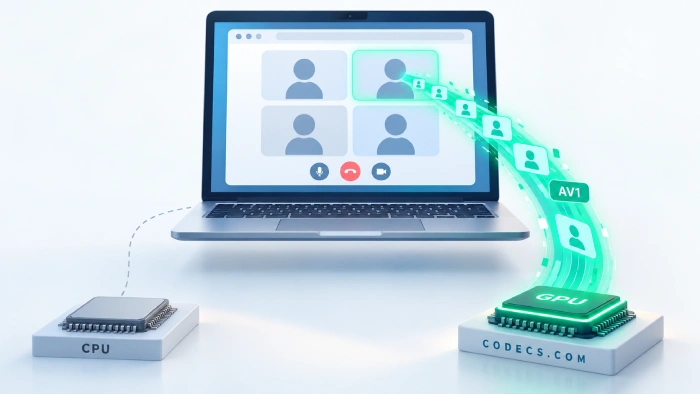
A video call is one of the heaviest jobs a browser does, because it has to unpack several live video streams at once.
Until now, Firefox decoded AV1 video in calls on the processor alone, even on PCs with a graphics chip built for exactly that job.
Firefox 157 lets that chip take over, and there is nothing to switch on.
What actually changed
AV1 is the newest video format in wide use for calls, and it keeps the picture sharp on weak connections - Google has tested AV1 calls on connections as slow as 40 kbps. Firefox has been able to send and receive AV1 in calls since version 136, released in March 2025.
The catch was on the receiving side. A check inside Firefox's call code answered no for AV1 every time, so incoming AV1 video never reached the hardware decoder, whatever your PC had.
Firefox 157 fixes that check and sends AV1 calls to the same hardware decoders it already uses for ordinary video playback. Mozilla says the change applies on all devices, not only Windows.
Why you might notice it
A graphics chip decodes video with a dedicated block that does little else, so it uses a fraction of the power the processor burns on the same stream. On a laptop that means a cooler machine, a quieter fan and more battery left after a long meeting - here is why software AV1 decoding drains a battery so fast.
There is a quieter fix inside the same change. Call services can ask the browser whether a format will play efficiently, and for AV1 in calls Firefox always said no - so a service that checks had every reason to avoid AV1 for Firefox users.
Now Firefox gives the honest answer when the hardware is there. Whether a service actually switches to AV1 is its own decision, and many calls still run on older formats such as VP8, VP9 and H.264, which this release does not touch.
Which PCs can do it
Hardware AV1 decoding needs a fairly recent graphics chip. These are the families that have it:
- NVIDIA - GeForce RTX 30 series and newer.
- AMD - Radeon RX 6000 series and newer, except the RX 6400 and RX 6500 XT, which have no AV1 decoder.
- Intel - the Iris Xe generation (11th-gen Core) and newer, plus every Arc card.
- Apple - Macs with an M3 chip or newer.
Older chips keep working exactly as before - Firefox falls back to the processor and the call carries on. The AV1 hardware decoding guide has the full table and the settings for desktop players.
How to check it is working
- Update Firefox. Open the menu, then Help, then About Firefox, and let it install version 157.
- Open the codec page. Type about:support in the address bar and scroll to Codec Support Information - the Hardware Decoding column on the AV1 row tells you whether your PC qualifies.
- Add the missing piece on Windows. If that section shows an Install extension button, Windows needs the free AV1 Video Extension before Firefox can use your graphics chip for AV1.
- Watch it during a call. Open Task Manager, go to Performance, pick your GPU and look at the Video Decode graph - it rises when AV1 video is being decoded in hardware.
If you only want to know whether your graphics chip decodes AV1 at all, the browser codec checker answers that in one click, with nothing to install.
If calls get worse instead of better
Hardware decoders occasionally clash with a particular graphics driver, which shows up as green blocks, freezing or a black video tile. Updating the driver from your graphics chip maker is the first fix.
If that does not help, type about:config, search for media.navigator.mediadatadecoder_av1_enabled, set it to false and restart Firefox. AV1 calls go back to the processor, and everything else stays as it is.
Also in Firefox 157
The headline change is Nova, which Mozilla calls its biggest visual refresh in years - a rounder, more consistent look across tabs, sidebar and menus, with new built-in themes and a compact mode for small screens.
Video gets two more fixes on Windows: some 8-bit HDR videos no longer look dull and grey, and the taskbar no longer stays visible over fullscreen video. Sound and picture also stay in sync when you change playback speed repeatedly, which YouTube watchers will appreciate.
Amazon has been dropped from the built-in search engines, though you can still add it back yourself. And if you skipped the last update, the previous release cut memory use on large JPEG photos.
Quick questions
Do I need to turn anything on?
No. Update to Firefox 157 and it uses hardware decoding automatically whenever your graphics chip supports AV1 and the call is sending AV1 video.
Will this make AV1 videos on YouTube smoother too?
No, that part was already done - Firefox has used hardware AV1 decoding for normal video playback on Windows since version 100. This release extends it to live calls, and the AV1 on YouTube guide covers the playback side.
My graphics card is older - will video calls stop working?
No. Without a hardware decoder, Firefox decodes AV1 on the processor exactly as it did before 157, so calls keep working and simply use more power.
Does it work on a Mac or on Linux?
On a Mac it works with an M3 chip or newer, which has AV1 decoding built in. On Linux it goes through VA-API, the standard Linux video acceleration layer, so it depends on your graphics driver supporting AV1.
Why would a call not use AV1 at all?
Each call service chooses the format, and every device in the call has to handle it. Many services still use VP8, VP9 or H.264, and some use AV1 only in certain situations, such as weak connections or screen sharing.
The bottom line
Firefox 157 stops leaving a capable graphics chip idle during AV1 calls - if your PC has one, update and it gets used. Tell us whether your laptop fan noticed.


Latest comments
AllFree Popular IPTV Playlist: Where to Get Fresh, Legal M3U Li...
This is great! How can we add an EPG?
Free M3U Playlist for TiviMate: Legal Lists That Load Cleanl...
The link isn't working. https://www.free-codecs.com/guides/free-epg-urls-for-iptv.htm
The New Fire TV Stick 4K Can't Run Kodi - Here's Which Fire ...
The Vega OS shift is the biggest Firestick story of 2026. Anyone buying now needs to know: 4K Max = sideloading ...