A CD holds better audio than almost anything you can stream, and getting it off the disc properly takes one free program and about ten minutes of setup.
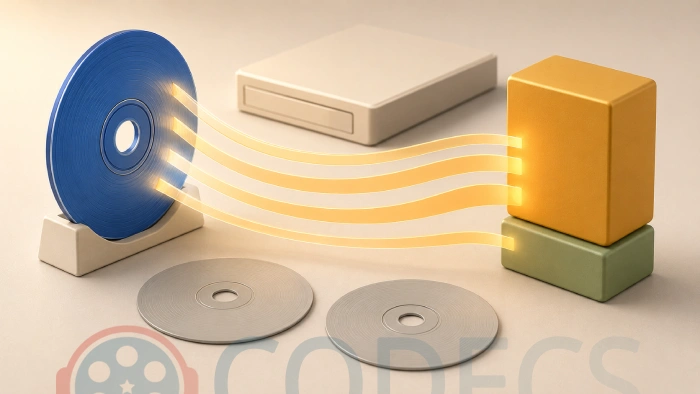
The hard part is not the ripping - it is deciding what you want at the end.
Get that wrong and you will do the whole collection twice.
Here is the short version, then the detail.
The five-minute answer.
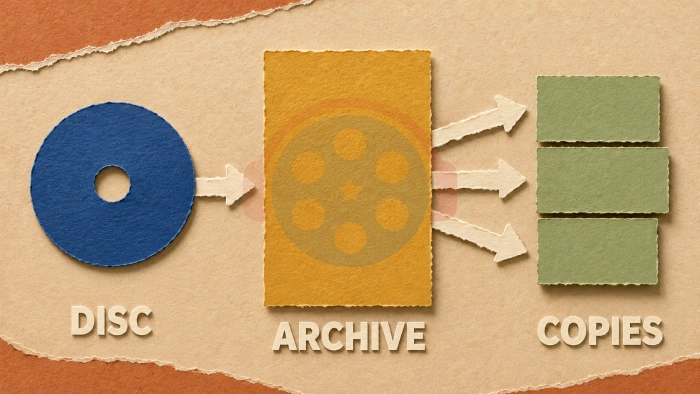
Install fre:ac, set the output to FLAC, rip the disc, then let it make MP3 copies from those files later. One pass, nothing lost, and you never have to touch the discs again.
Decide the Format Before You Rip Anything
This is the decision that costs you a weekend if you get it wrong.
MP3 throws away audio permanently to make the file small. That is fine, and at sensible settings you will not hear it. But you cannot get it back, so an MP3 is a copy, not an archive.
FLAC keeps every bit of the disc at roughly half the size of the raw audio. It is bigger than an MP3 and not every car stereo will play it, but it is a genuine replacement for the disc.
So rip to FLAC once, and make MP3s out of the FLAC files whenever you need them. The discs go back in the loft and never come out again.
When to skip FLAC.
If the discs are audiobooks, podcasts, spoken word or a stack of charity-shop pop you are not precious about, go straight to MP3 and save yourself the disk space. Our FLAC versus MP3 comparison covers where the difference is actually audible.
Pick Your Ripper
Two free programs cover almost everybody, and the choice is about the condition of your discs rather than your skill level.
| Tool | What it gives you | Use this when |
|---|---|---|
| fre:ac | Rips and encodes in one window, with the MP3 and FLAC encoders already inside it. Runs on Windows, Mac and Linux. | Your discs are in normal condition and you want this finished today. |
| Exact Audio Copy | Reads difficult discs repeatedly and checks the result against a database of other people's rips of the same CD. | The discs are scratched, rare, or you want proof the rip is perfect. Windows only. |
fre:ac is the one to start with. It is actively maintained, it does the whole job in one program, and it does not need you to point it at a separate encoder.
Exact Audio Copy is slower and fussier to set up, and it is what you want for a disc that matters. Its verification is the real feature: it tells you whether your rip matches what other people got from the same pressing.
There is also dBpoweramp, which is paid and very good, and which most people do not need. Nothing above is missing from the free tools.
Doing the Rip
The steps are the same in either program.
- Put the disc in and wait for the track list to fill in. Both tools look the album up online, so check the artist and title before you go further - fixing it now is easier than renaming forty files later.
- Set the output format. FLAC for the archive, or MP3 if you decided to skip the archive step.
- Choose where the files go, and set the naming pattern to include the artist and album. The default is usually fine.
- Turn on verification if your tool offers it. In Exact Audio Copy this is AccurateRip, and it is the reason to use that program at all.
- Start the rip and leave it alone. A full album takes a few minutes on a healthy disc, considerably longer on a damaged one, because the drive slows down to re-read what it could not get cleanly.
A slow rip is usually good news.
If the drive audibly slows and the progress bar crawls on one track, that is error correction working, not a fault. Let it finish. A rip that takes forty minutes and comes out verified is worth more than a fast one with a click in it.
The Encoder Settings That Actually Matter
For FLAC, the defaults are correct and you can ignore every setting on the screen.
FLAC is lossless, so the compression level only changes how long encoding takes and how big the file is. The audio that comes out is identical either way.
MP3 is where the settings matter, and the encoder doing that work is LAME MP3 Encoder, which is built into fre:ac and which Exact Audio Copy can be pointed at.
Use variable bitrate for music. The preset written -V 2 averages around 190 kbps and is the long-standing sweet spot; -V 0 pushes higher if you want headroom you probably cannot hear. Fixed bitrate is for podcast and broadcast delivery, where predictable file size matters more than efficiency.
Our best LAME settings guide goes through the presets case by case, including the ones for speech and audiobooks.
Tag It, or You Will Regret It
Ripping is the easy half. Metadata is what makes the collection usable.
Both rippers write tags automatically from the online lookup, and both get things wrong: compilations filed under the wrong artist, missing cover art, inconsistent spellings that split one band into three across your library.
Mp3tag fixes all of it in bulk, and it is worth running once over each batch before you move the files anywhere permanent. Ten minutes there saves an evening of clicking through folders in a year's time.
What Happened to CDex?
If you came here looking for the CDex walkthrough, this is the honest answer.
CDex was the right recommendation for a long time and this guide used to be built around it. Its last release was in August 2020 and nothing has happened since, so it is no longer software we would point a reader at for a job they are starting today.
Everything it did, fre:ac does, in a program that is still being worked on. If you have an existing CDex setup that works, there is no urgency to change it - but do not build a new one.
The same applies to Audiograbber, which has also been frozen since 2020.
Quick questions
Is ripping my own CDs legal?
It depends where you live, and the rules vary more than people expect. In some countries copying a disc you own for your own use is explicitly allowed, in others it technically is not even though nobody enforces it. Selling or sharing the files is a different matter everywhere.
Should I rip to FLAC or MP3?
FLAC if the music matters to you and you have the disk space, because you can always make MP3s from FLAC files afterwards. MP3 alone if the discs are spoken word or you simply want them on your phone and are not precious about it.
Do I need to install LAME separately?
Not with fre:ac, which carries the encoder inside it. Exact Audio Copy can use an external copy, which is one of the reasons it takes longer to set up.
My rip has clicks or skips in it. What now?
Clean the disc first, working from the centre outwards rather than in circles. If it still fails, re-rip it in Exact Audio Copy with verification switched on, which reads the damaged sections repeatedly instead of accepting the first result.
How much space will a collection take?
As a rough guide, FLAC lands at roughly half the size of the raw disc audio, and a good variable-bitrate MP3 at a small fraction of that. A few hundred albums in FLAC is comfortable on any modern drive.
Can I do this on a Mac or Linux?
Yes, with fre:ac, which runs on all three platforms. Exact Audio Copy is Windows only.
Rip once, keep the lossless copy, and make whatever compressed versions you need from it later - that single decision is most of what separates a collection you keep from one you redo in five years.
Download fre:ac to get started, or tell us what you ripped with if you have already been through this.
More rippers, encoders and conversion tools sit in the Audio Encoders section.


Latest comments
AllXMediaRecode gives only the option to Copy (No convert) in Audio Mode drop down. I am trying to convert/recode the EAc3 ...
Guide: How to Convert EAC3 Audio to AC3 or AAC With XMedia Recode 1 commentTo view major football league live
Guide: Free Popular IPTV Playlist: Where to Get Fresh, Legal M3U Links in 2026 19 commentsThe link isn't working. [link]
Guide: Free M3U Playlist for TiviMate: Legal Lists That Load Cleanly 1 comment