Looking for a Photopea app for Android? There isn't one - but you can still put the real Photopea on your home screen in under a minute.
Photopea has no official Android app or APK.
It's a free, Photoshop-style editor that runs in your web browser.
That also works on your phone, and it can sit on your home screen like an app.
Is There a Photopea App or APK for Android?
No. Photopea is built as a web app, and it isn't in the Google Play Store.
Its creator, Ivan Kuckir (ivanhoe90 on Reddit), has said the focus is on the web version rather than separate mobile apps.
Watch out for lookalikes. Several apps borrow the Photopea name, but none of them are made by Photopea.
Google Play lists a "Photopea - Photo Editor" app from a different developer, with ads and poor reviews. APK sites such as Softonic and Uptodown carry other "Photopea" or "Photo Pea" files that have nothing to do with the real editor.
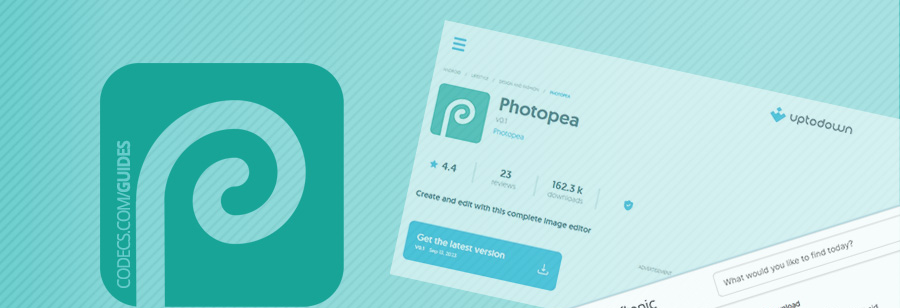
The Softonic file is a good example. Its package name is actually "photopia", with an i - a different app that just looks similar at a glance.
Skip them all. The real Photopea is free in your browser, so there's nothing worth downloading.
How to Install Photopea on Android
You can't get Photopea from the Play Store, but you can add it to your home screen from your browser. It then opens in its own window, like an app.
- Open your browser. Google Chrome works best, but any modern browser will do.
- Go to photopea.com. Open photopea.com and wait for the editor to load.
- Tap More, then Install Photopea. If you don't see it, open the browser's three-dot menu and choose Add to Home screen or Install app.
- Confirm. A Photopea icon appears on your home screen.
Photopea's own install tutorial covers the same steps.
Good to know: the installed Photopea still runs through your browser. If you uninstall that browser, the Photopea icon stops working.
What to Expect on a Phone
You get the full editor: layers, masks, filters, text and adjustment tools. It also opens PSD files from Photoshop and XCF files from GIMP.
Photopea is designed like desktop software, though, so the menus are small on a phone. It's much more comfortable on a tablet, or on a phone turned sideways.
- Free with ads. Photopea shows ads in a side panel. A paid Premium plan removes them.
- Needs a connection. Photopea loads from the web, so it needs internet access to open.
- No storage hit. There's no big app to install, so it barely uses space on your phone.
Prefer a Real Android App?
Want something built for touch screens instead? These free editors install from our Android downloads.
Hypic
Android, free with Pro option
Quick AI photo editing: background removal, retouching and filters in a few taps. Best for fast fixes.
Use it: open a photo, tap Cutout or Retouch, and export.
Adobe Lightroom
Android, free with Premium option
Colour and light editing with RAW photo support. Best when the photo itself needs to look better.
Use it: import a photo, then work down the Light and Color panels.
CapCut
Android, free with Pro option
Photo and video editing in one app, with templates for social posts. Best for content you will share.
Use it: start a new project, add your photos, and pick a template.
Wink
Android, free with VIP option
AI enhancer from Meitu that sharpens blurry photos and videos and retouches faces. Best for rescuing old or low-quality shots.
Use it: open a photo or clip, pick an enhance or retouch tool, and export. Free exports carry a Wink watermark.
Editing video too? VN Video Editor is a free video editor that doesn't add a watermark.
Quick questions
Is there an official Photopea APK?
No. Photopea only runs in a web browser. Any Photopea APK or Play Store app you find is made by someone else.
Is Photopea free on Android?
Yes. The browser version is free with ads, and a paid Premium plan removes them.
Can Photopea open PSD files on a phone?
Yes. Photopea opens PSD files with their layers, right in your phone's browser.
Does Photopea work offline?
No. Even when added to your home screen, it loads through the browser and needs an internet connection.
The bottom line
Skip the Photopea APKs - none of them are the real thing.
Add photopea.com to your home screen for Photoshop-style editing at no cost, or pick a native editor if you'd rather have an app made for touch.


Latest comments
AllFree M3U Playlist for TiviMate: Legal Lists That Load Cleanl...
The link isn't working. https://www.free-codecs.com/guides/free-epg-urls-for-iptv.htm
The New Fire TV Stick 4K Can't Run Kodi - Here's Which Fire ...
The Vega OS shift is the biggest Firestick story of 2026. Anyone buying now needs to know: 4K Max = sideloading ...
JPEG XL Is Back in Chrome: What It Means and How to Open JXL...
Brave just enabled it by default for stable users yesterday (1.97). Not specified is chromeOS will be passively gaining decode ...