The popular third-party file manager Files has released version 4.0.24 with a highly requested feature - native integration with PowerToys Peek, allowing users to quickly preview documents and media just like macOS Quick Look.
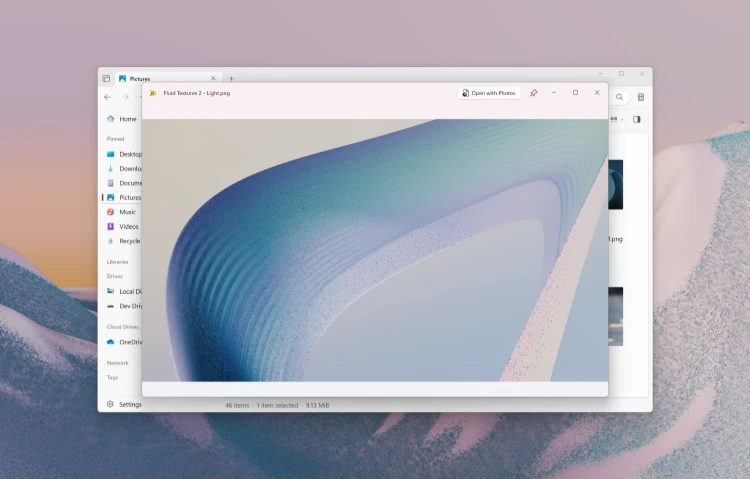
With this update, selecting any file in Files and pressing the Space key will open Peek's preview overlay without launching separate applications.
The feature supports Office documents, videos, images, web pages, and more.
Additional improvements in this release include a new "Copy" action when right-clicking sidebar items, auto-filled document names when creating new files, shadow effects for the Omnibar, and AND/OR operator support for tag searches.
Bug fixes address crashes in Dual Pane mode during window resizing, git branch switching issues during merge conflicts, and incorrect display of PNG-based .ico files in the sidebar.
To take advantage of this integration, you'll need Microsoft PowerToys installed on your system.
Download PowerToys to unlock Peek and dozens of other productivity utilities for Windows 10 and 11.


Latest news comments
AllThe Vega OS shift is the biggest Firestick story of 2026. Anyone buying now needs to know: 4K Max = sideloading works, plain 4K = ...
News: The New Fire TV Stick 4K Can't Run Kodi - Here's Which Fire Stick Still Can 2 commentsBrave just enabled it by default for stable users yesterday (1.97). Not specified is chromeOS will be passively gaining decode capability too, and ...
News: JPEG XL Is Back in Chrome: What It Means and How to Open JXL Files 1 commentI didn't know it was EU, AND france. That doesn't sound like a good idea. Related to coding or privacy.
News: Meet Qwant: The Private, EU-Built Alternative to Google 1 comment