RapidRAW, a free alternative to Adobe Lightroom and Capture One, just released version 1.4.0 with features designed to speed up your photo editing workflow dramatically.
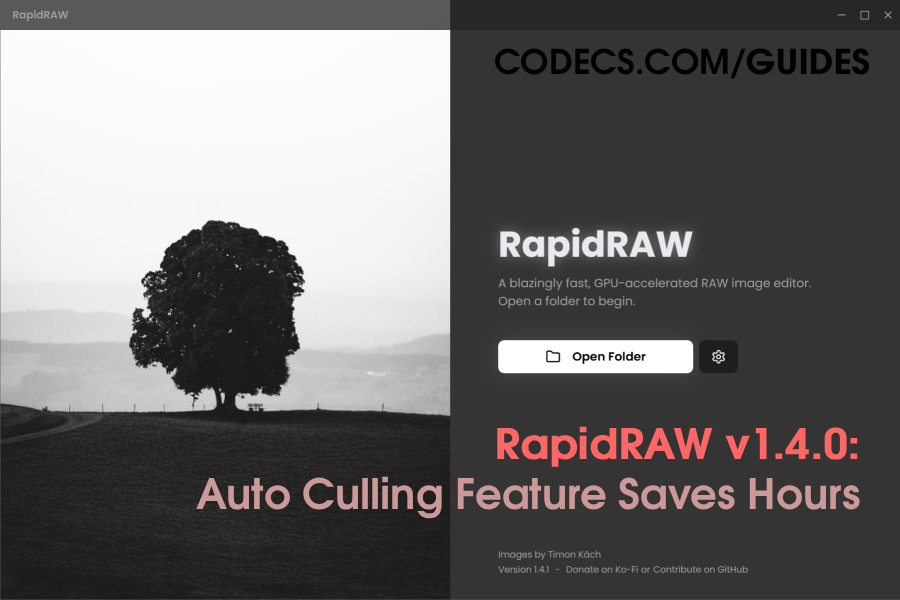
For those unfamiliar, RapidRAW is a professional-grade photo editing application that works with RAW image files - the uncompressed, high-quality formats that come straight from your camera.
Unlike subscription-based competitors, RapidRAW is completely free and works on Windows, Mac, and Linux computers.
Auto Culling Saves You Hours
The standout feature in this update is "Auto Culling" - think of it as a smart assistant that reviews your photos for you.
After a photoshoot, you might have hundreds of nearly identical shots.
RapidRAW now automatically finds duplicates and blurry images, letting you delete them all at once instead of clicking through each one manually.
What used to take an hour now takes minutes.
Create Photo Collages Without Extra Apps
The built-in collage maker lets you combine multiple photos into one image with different layout options.
Adjust spacing between photos, round the corners, and change background colors - all without jumping to another program.
Better Color Control
A new Color Calibration tool gives you more precise control over your photos' colors than standard editing sliders.
If you want that moody blue tone or warm golden-hour look, these advanced controls make it easier to achieve.
Other Handy Improvements
You can now organize your photo library by camera settings (like ISO or lens type), import editing presets from other software you might already own, and hide advanced tools you don't use to keep your workspace clean.


Latest news comments
AllThe Vega OS shift is the biggest Firestick story of 2026. Anyone buying now needs to know: 4K Max = sideloading works, plain 4K = ...
News: The New Fire TV Stick 4K Can't Run Kodi - Here's Which Fire Stick Still Can 2 commentsBrave just enabled it by default for stable users yesterday (1.97). Not specified is chromeOS will be passively gaining decode capability too, and ...
News: JPEG XL Is Back in Chrome: What It Means and How to Open JXL Files 1 commentI didn't know it was EU, AND france. That doesn't sound like a good idea. Related to coding or privacy.
News: Meet Qwant: The Private, EU-Built Alternative to Google 1 comment