Sony has discontinued the UBP-X700, its last standalone 4K Blu-ray player, leaving the PlayStation 5 as the only Sony box that plays Blu-ray discs.
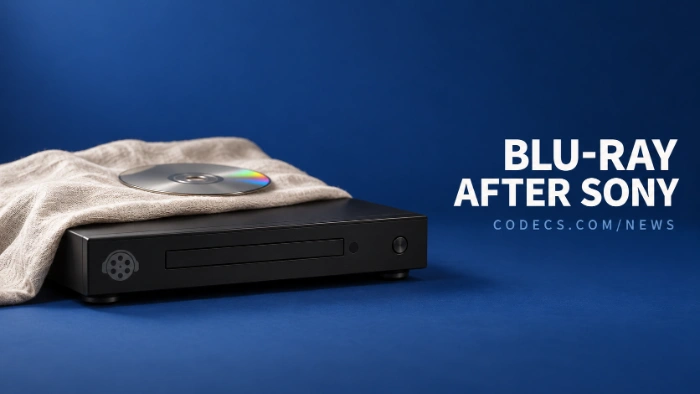
Sony Japan now lists the player as discontinued, and shipments stopped back in February.
Your discs aren't going anywhere, though - and a Windows PC can play them for free.
What Sony Actually Did
The UBP-X700 is gone from Sony's store in Japan, and it has also disappeared from Sony's official shops in Australia.
Sony hasn't confirmed what happens in the US or Europe, and Japanese reports say no replacement is planned.
It's part of a pattern. LG stopped making Blu-ray players in 2024, and Sony has already stopped making recordable Blu-ray discs.
Will Your Blu-ray Discs Still Work?
Yes. A discontinued player doesn't stop any disc from working, and players you already own keep going as long as their hardware lasts.
If you need a new standalone player, Panasonic still makes 4K Blu-ray models, and specialist brands such as Magnetar sell premium ones. A PS5 with a disc drive plays 4K Blu-ray too.
How to Play Blu-ray Discs on a Windows PC
Windows has never had Blu-ray playback built in. Free players such as VLC can't play most store-bought discs straight from the drive either, because those discs are copy-protected.
The most reliable free route is to turn the disc into a video file first, then play that file.
- Get a Blu-ray drive. Most PCs no longer have one, but USB Blu-ray drives plug into any laptop or desktop.
- Copy the disc with MakeMKV. It saves the film as an MKV file with no loss in quality, and it's free for Blu-ray while it's in beta.
- Play the file in a free player. VLC media player and PotPlayer both open MKV files with no extra codecs.
MakeMKV's beta needs a fresh free key every so often. Our guide on how to use MakeMKV for free shows where to find it.
4K discs are pickier.
To copy a 4K Ultra HD Blu-ray, MakeMKV needs a drive it supports for 4K. Check MakeMKV's list of compatible drives before you buy one, because most standard Blu-ray drives won't work.
4K Blu-ray films are stored in HEVC, also called H.265. VLC and PotPlayer decode it themselves, so you don't need to install a separate HEVC codec.
Check the law where you live.
In some countries, copying a copy-protected disc is against the law even if you own it. Discs without copy protection, such as your own home videos, don't have this problem.
Quick questions
Is Sony stopping Blu-ray players everywhere?
Sony hasn't said. The UBP-X700 is listed as discontinued in Japan and is gone from Sony's official shops in Australia, but there's no global announcement.
Can Windows 11 play Blu-ray discs?
Not by itself. You need a Blu-ray drive and extra software, and for store-bought discs the easiest free route is to copy them with MakeMKV and play the file in VLC.
Why won't VLC play my Blu-ray disc?
Most commercial Blu-rays are copy-protected, and VLC can't unlock them out of the box. Copy the disc to an MKV file first, and VLC will play that file normally.
Can a PS5 play 4K Blu-ray films?
Yes, if it has a disc drive. The standard PS5 plays 4K Ultra HD Blu-rays, and the Digital Edition can too once you add Sony's detachable drive.
Do I lose quality copying a Blu-ray to MKV?
No. MakeMKV copies the video and audio exactly as they are on the disc. The files are large, often 20 to 50 GB per film, or more for 4K.
Sony has dropped its last standalone 4K Blu-ray player, but your discs still play - and a PC with a Blu-ray drive and two free apps can keep them going for years.
Start with MakeMKV, or tell us how you watch your Blu-rays now.


Latest news comments
AllInteresting development with the Fire TV Stick 4K — losing Kodi sideloading is a big deal for a lot of users. For those ...
News: The New Fire TV Stick 4K Can't Run Kodi - Here's Which Fire Stick Still Can 3 commentsBrave just enabled it by default for stable users yesterday (1.97). Not specified is chromeOS will be passively gaining decode capability too, and ...
Team replied News: JPEG XL Is Back in Chrome: What It Means and How to Open JXL Files 1 commentI didn't know it was EU, AND france. That doesn't sound like a good idea. Related to coding or privacy.
News: Meet Qwant: The Private, EU-Built Alternative to Google 1 comment