Windows 11 arrives full of things you never agreed to, and FlyOOBE is the second chance setup never gave you.
Unzip FlyOOBE, right-click Flyo.exe and choose Run as administrator.
Work through the Apps page, the AI page and the Browser page, clicking Apply on each one, then restart. Nothing gets installed and the whole thing takes about five minutes.
Most people meet FlyOOBE as the tool that got Windows 11 onto a PC Microsoft said was too old.
That is only half of what it does.
The same program will strip the finished installation back to something you actually chose, without a single registry edit or PowerShell command.
Not installed yet? Start with installing Windows 11 on unsupported hardware and come back to this page afterwards.
What FlyOOBE can take out after installation
It groups everything into pages, and you can use one and ignore the rest.
- Preinstalled apps - the Store apps that ship with every copy, including Copilot and Clipchamp.
- AI features - Recall, Click to Do, the AI buttons inside Paint and Notepad, and the AI panel in Edge.
- Edge as your only browser - it will fetch and install Chrome, Firefox or Brave for you.
- OneDrive - removed properly, not just signed out of.
- Theme, wallpaper and account options - the cosmetic pass, if you want it.
FlyOOBE is portable. It is a small ZIP file, it runs from wherever you unzip it, and deleting the folder is a complete uninstall.
Before you start
- A restore point. Press Start, type
Create a restore point, open it and click Create. - An administrator account. FlyOOBE needs it and will not work properly without it.
- Ten minutes and a restart at the end. Save anything you have open first.
One thing to be careful about. On a PC that failed Microsoft's hardware checks, Windows Update is already the fragile part of the setup. Removing apps is safe; removing update-related components with third-party scripts is not, and FlyOOBE does not ask you to.
The five-minute pass
- Run it. Download FlyOOBE, unzip it, then right-click
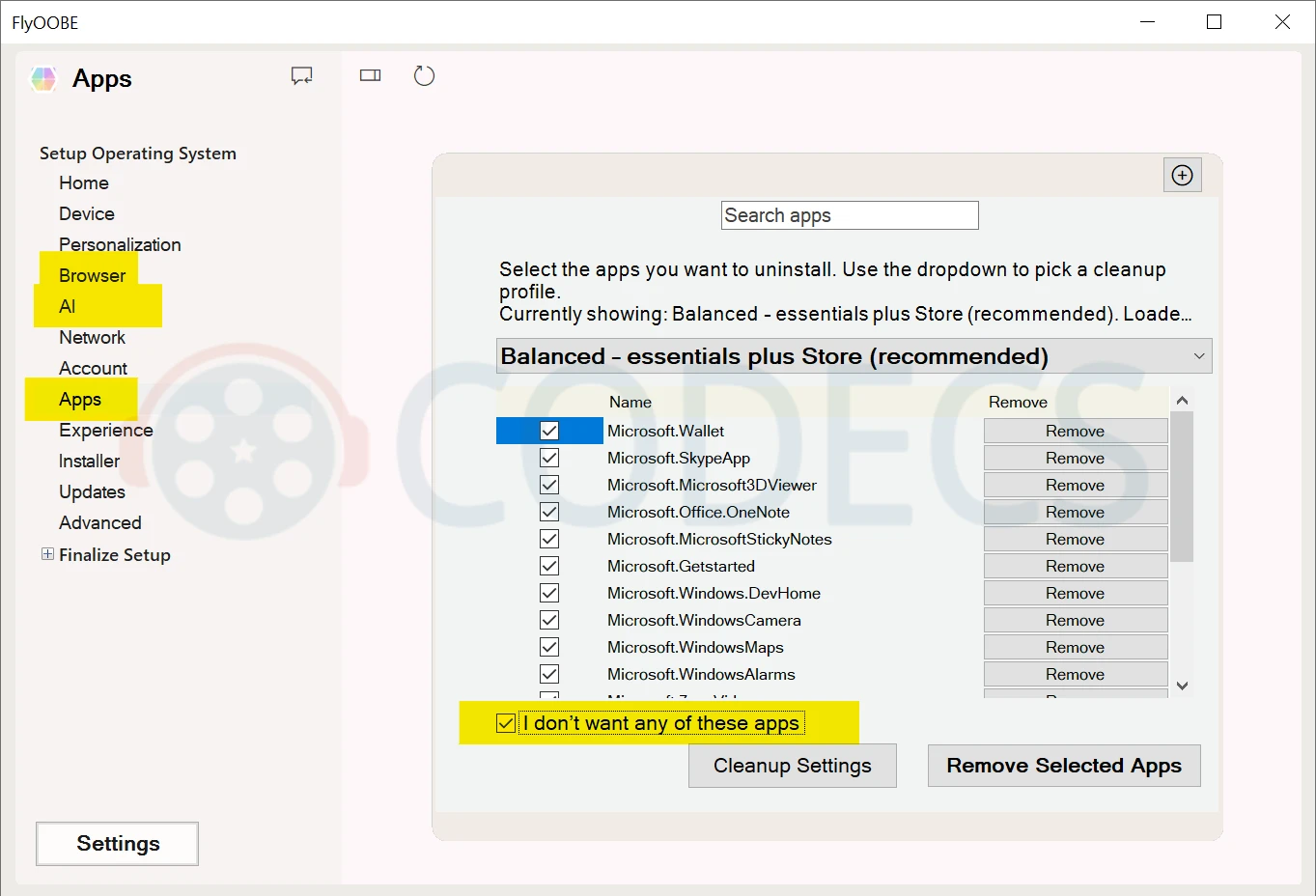
Flyo.exeand choose Run as administrator. - Clear the apps. Open the Apps page, tick the option that removes the lot, and click Apply. If you want to keep one or two, untick those first.
- Turn the AI off. Open the AI page, run the check so it lists what is on your machine, select what you want gone and apply it.
- Install a real browser. On the Browser page, choose Chrome, Firefox or Brave and let it install. Then set it as your default in Windows Settings, which Windows will not do for you.
- Restart. Some of the changes only take effect on the next sign-in.
The AI page is called Slopilot now
If your build shows Slopilot where an older tutorial says AI, you are in the right place.
It is the same feature under a blunter name, and it got better at its job in the process. Instead of switching off a fixed list, it scans the machine and reports what AI components are actually there - the installed packages, the scheduled tasks and the settings behind them.
That matters because Microsoft keeps adding surfaces. Recall, Click to Do, Input Insights and the AI buttons inside the built-in apps all arrived after the first round of debloat scripts was written.
How to tell a current guide from a stale one. If a tutorial lists exactly three AI things to disable and names no scan step, it predates this change. Trust what the tool reports on your machine over any list written months ago.
What FlyOOBE will not do
It will not free gigabytes. Clearing the preinstalled apps reclaims a few hundred megabytes at best.
The real gain is quieter: fewer background processes, fewer notifications, fewer things starting with Windows and asking for your attention.
It also will not convert an account you have already signed in with. The local-account option is aimed at first setup, so on a PC that is already running, go to Settings, then Accounts, then Your info, and choose to sign in with a local account instead.
Debloat scripts pasted from forums and video descriptions. The tell is a single PowerShell line that downloads and runs something from a shortened link, with no source repository you can read first.
Those are the ones that break Windows Update and the Store, and on an unsupported PC you have less room to recover.
Some of it comes back, and that is normal
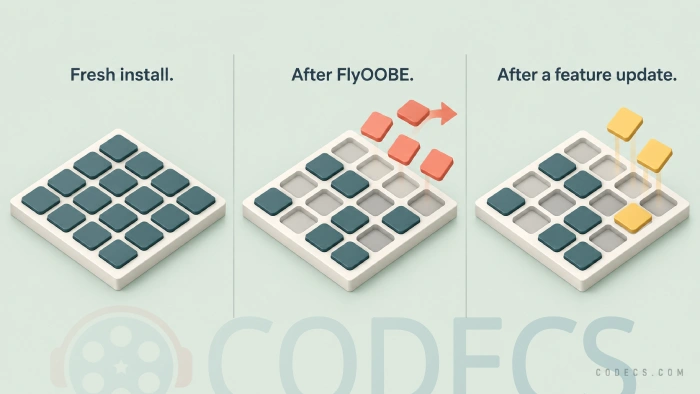
A big Windows feature update can reinstate some inbox apps and re-enable AI features you switched off.
This is not FlyOOBE failing. It is Windows restoring its own defaults, and the fix is to run the same pass again after the update finishes.
For the routine tidying in between, the same developer makes CrapFixer, which shares FlyOOBE's extensions engine and covers the everyday tweaks rather than the setup pass.
Quick questions
Do I have to install FlyOOBE?
No. It is a small ZIP file that runs from wherever you unzip it, and deleting the folder removes it completely.
Can I undo it if I remove something I wanted?
Individual apps can be reinstalled from the Microsoft Store. For anything deeper, the restore point you made before starting is the safety net, which is why it is step one.
Will this break Windows Update on an unsupported PC?
Removing apps and switching off AI features does not touch Windows Update. The things that do break it are third-party scripts that strip update components, which is a different kind of tool entirely.
Does removing Copilot and Recall stop the data collection?
It removes those particular surfaces, but telemetry is a separate set of switches. Our guide to the Windows 10 and 11 privacy settings covers the rest in about the same five minutes.
Is it worth doing on a PC that fails the hardware checks anyway?
It is worth more there than anywhere. An older machine feels the difference from fewer background processes far more than a new one does, and whether the upgrade was a good idea at all is a separate question with its own answer.
Grab the tool from the FlyOOBE download page, or read up on getting Windows 11 legally for free if the licence is the part you are still working out.
Used it on your own machine? Tell us what you kept.


Latest comments
AllTo view major football league live
Guide: Free Popular IPTV Playlist: Where to Get Fresh, Legal M3U Links in 2026 20 commentsThe link isn't working. [link]
Guide: Free M3U Playlist for TiviMate: Legal Lists That Load Cleanly 1 commentThe Vega OS shift is the biggest Firestick story of 2026. Anyone buying now needs to know: 4K Max = sideloading works, plain 4K = ...
News: The New Fire TV Stick 4K Can't Run Kodi - Here's Which Fire Stick Still Can 3 comments