Download QuickTime DirectShow Source Filter 1.7.6
Direct Download Links - free, safe and fast mirrors
2
downloads this week
18.8K
all time
1.76MB
file size
updated
Mar 18, 2016
EXT Main LINK
MediaLooks QuickTime DirectShow Source Filter 1.7.6
4
EU Mirror LINK
MediaLooks QuickTime DirectShow Source Filter 1.7.6
Windows
MediaLooks_quicktime_source_directshow_filter_1.7.6.6149.msi
How did it go with MediaLooks QuickTime Filter?
Rate it in one click - your rating helps other readers pick the right tool.
What is MediaLooks QuickTime Filter?
MediaLooks QuickTime DirectShow Source Filter is a compact tool enabling you to play Apple QuickTime formats such as MOV, MP4 and AMR using the native QuickTime runtime.
MediaLooks QuickTime Filter screenshots
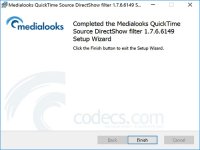
See the MediaLooks QuickTime Filter interface full size before you install it.
View full sizeHow to Download MediaLooks QuickTime Filter
- 1 Click the DOWNLOAD button for your preferred link (US/EU Main or Mirror). When prompted by your browser, choose "Save" and select a destination folder.
- 2 We recommend using the mirror links (EU MIRROR / US MIRROR) first - they tend to be faster and more reliable than external sources.
- 3 Having trouble downloading MediaLooks QuickTime Filter? If the download doesn't start, click the link again or try a different browser (Firefox/Chrome). Some security software may block downloads due to false positives.


