Download Bulk Image Downloader 6.65
Direct Download Links - free, safe and fast mirrors
13
downloads this week
6.2K
all time
14.6MB
file size
updated
Oct 9, 2026
EXT Main LINK
Bulk Image Downloader 6.65
Windows
bid_6_65_setup_x32.exe
EXT Main LINK
Bulk Image Downloader 6.65
Windows
x64
bid_6_65_setup_x64.exe
How did it go with Bulk Image Downloader?
Rate it in one click - your rating helps other readers pick the right tool.
What is Bulk Image Downloader?
Bulk Image Downloader is a Windows tool that saves every full-sized image from a web gallery at once, following thumbnails to the originals, with a limited free trial and a one-off licence, and pairs well with Duplicate Photo Cleaner.
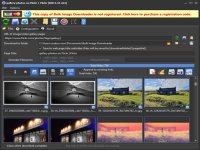
How to Download Bulk Image Downloader
- 1 Click the DOWNLOAD button for your preferred link (US/EU Main or Mirror). When prompted by your browser, choose "Save" and select a destination folder.
- 2 We recommend using the mirror links (EU MIRROR / US MIRROR) first - they tend to be faster and more reliable than external sources.
- 3 Having trouble downloading Bulk Image Downloader? If the download doesn't start, click the link again or try a different browser (Firefox/Chrome). Some security software may block downloads due to false positives.


Latest reviews
AllBulk Image Downloader 6.65
4/5GRACIAS, MUY BUENA
Bulk Image Downloader 6.55
5/5thx for this application
Bulk Image Downloader 6.38
5/5very good Bulk Image Downloader!