The Browser Company is shutting down Arc, and the browser stops working on Windows and Mac on 22 December 2026.
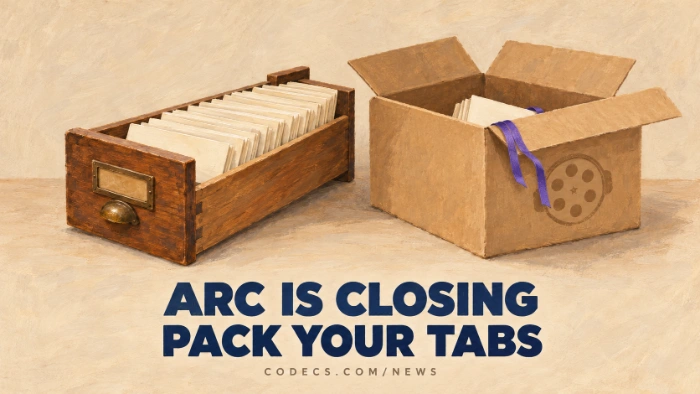
Your Arc account is switched off on that date, and the company says your personal data is deleted within 30 days.
That gives you about eight weeks to move your tabs, bookmarks and passwords somewhere else.
The Key Dates
- 22 October. No new Arc accounts, and a data export option is added for everyone else.
- 23 November. The Arc Search phone app loses its AI features and stops syncing your tabs.
- 22 December. Arc stops working on Windows and Mac, and your account is deactivated.
Arc won't be open-sourced either, because the company says that would mean giving away the technology behind Dia, its new browser.
The Easy Way Out: Move to Dia
Dia is made by the same team, and it's free on Windows and Mac. It imports your passwords, bookmarks, extensions and history from Arc in one go.
Your Spaces become Profiles, your Folders become Tab Groups, and pinned tabs come across too. Close Arc before you start the import.
The catch is that Dia is built around an AI assistant. Its browser features are free and the AI is optional, but if that's why you're unsure, keep reading.
Save Your Arc Data First
Even if you're moving to Dia, take a copy before 22 December. These files work with any browser.
- Your open tabs and Spaces. Press Ctrl + , to open Settings, go to Advanced and choose Export Data - you get a simple list of links.
- Your bookmarks. Type arc://bookmarks in the address bar and export them as an HTML file.
- Your passwords. Type arc://password-manager/settings and export them as a CSV file.
Delete the passwords file afterwards.
The CSV stores every password as plain text. Import it into your new browser, then delete it and empty the Recycle Bin.
Every browser below can import a bookmarks HTML file and a passwords CSV. Look for "Import bookmarks and settings" or "Import passwords" in its settings.
The Best Free Arc Alternatives for Windows
Most people loved Arc for its sidebar of vertical tabs and its separate spaces for work and home. These free browsers come closest.
| Browser | Why it feels like Arc | Pick it if |
|---|---|---|
| Dia | Same team, imports everything from Arc | You want the smoothest move and don't mind AI |
| Zen Browser | Vertical tabs, workspaces and split view | You want the closest Arc look without AI - it uses Firefox add-ons, not Chrome extensions |
| Vivaldi | Vertical tabs, workspaces and tab stacks | You want to keep your Chrome extensions and like lots of settings |
| Brave | Vertical tabs and a built-in ad blocker | You want something simple and fast with Chrome extensions |
| Microsoft Edge | Vertical tabs and workspaces | You'd rather not install anything new - it's already on your PC |
Want to compare more? Our list of free web browsers covers every option we host.
Quick questions
When does Arc stop working?
On 22 December 2026, on both Windows and Mac. Your account is deactivated that day, and your data is deleted within 30 days.
Will Arc keep working if I don't sign in?
No. The desktop browser stops working on 22 December. Only the Arc Search phone app keeps working, as a basic browser.
Is Dia free?
Yes. Dia is free on Windows and Mac, its browser features are free, and its AI assistant is optional.
Can I keep my Arc extensions?
Dia brings them across automatically. Vivaldi, Brave and Edge use the same Chrome Web Store, so you can reinstall them there, while Zen needs Firefox versions of them.
Which browser is most like Arc?
Dia, because it's made by the same team. If you don't want an AI browser, Zen Browser has the closest look and feel.
Arc has eight weeks left - export your tabs, bookmarks and passwords now, then pick the browser that fits how you work.
Try Zen Browser for the closest Arc feel, or tell us where you're moving to.


Latest news comments
AllInteresting development with the Fire TV Stick 4K — losing Kodi sideloading is a big deal for a lot of users. For those ...
News: The New Fire TV Stick 4K Can't Run Kodi - Here's Which Fire Stick Still Can 3 commentsBrave just enabled it by default for stable users yesterday (1.97). Not specified is chromeOS will be passively gaining decode capability too, and ...
Team replied News: JPEG XL Is Back in Chrome: What It Means and How to Open JXL Files 1 commentI didn't know it was EU, AND france. That doesn't sound like a good idea. Related to coding or privacy.
News: Meet Qwant: The Private, EU-Built Alternative to Google 1 comment