Windows 7 still runs old programs, games and hardware that newer Windows will not, but in 2026 the safe way to use it is offline or inside a virtual machine.
Microsoft no longer sells Windows 7, no longer patches it and no longer offers it as a download.
That has not stopped people needing it, and it has filled search results with ISO links nobody can vouch for.
This guide covers where to get it legally, how to install it on a virtual machine or a real PC, and what to keep away from.
Windows 7 in 2026: what still works
| What | Status | What it means for you |
|---|---|---|
| Security updates | Ended 14 January 2020; paid business updates ended 10 January 2023 | Every flaw found since then stays open |
| Chrome and Edge | Version 109 was the last, in early 2023 | No browser fixes - do not use them online |
| Firefox | Firefox 115 ESR gets security updates until March 2027 | The last safe-ish browser, if you must go online |
| Steam | Support ended 1 January 2024 | The Steam client no longer runs on Windows 7 |
| Free upgrade with a Windows 7 key | Closed by Microsoft in September 2023 | A Windows 7 key will not activate Windows 10 or 11 |
Dates come from Microsoft's lifecycle page and Mozilla's Windows 7 notice.
Good and bad reasons to install it
Windows 7 is still a sensible choice for a few jobs. All of them have one thing in common: the PC does not need the internet.
- A program that refuses to run on Windows 10 or 11, such as old accounting, design or machine-control software.
- Hardware whose driver stopped at Windows 7 - older scanners, plotters, audio interfaces and lab equipment.
- Older games that crash or misbehave on modern Windows.
Daily browsing, email, banking and shopping are the wrong reasons. A machine with six years of unpatched holes should not be where you type passwords.
The safest option: Windows 7 in a virtual machine
A virtual machine runs Windows 7 in a window on your current PC, sealed off from your real files. If something goes wrong, you roll it back in seconds instead of reinstalling.
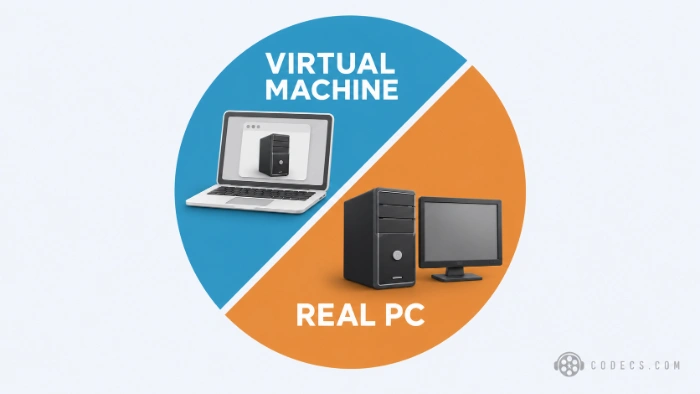
VMware Workstation Pro is now free for everyone, with no licence key, and handles Windows 7 guests well.
- Install VMware Workstation Pro. Your host PC needs 64-bit Windows and ideally 8 GB of RAM or more.
- Create a new virtual machine. Choose Typical, point it at your Windows 7 ISO and pick Windows 7 x64 as the guest system.
- Give it enough room. 2 GB of memory and a 40 GB disk are comfortable for Windows 7 64-bit.
- Install Windows. The setup runs inside the window exactly as it would on a real PC - see the install steps further down.
- Install VMware Tools. From the VM menu choose Install VMware Tools, which adds proper screen resizing, mouse and copy-paste.
- Cut it off and take a snapshot. Set the network adapter to Host-only or disconnect it, then take a snapshot so you can return to a clean install at any time.
VMware Tools will not install?
Current VMware Tools need Windows 7 Service Pack 1 plus Microsoft's SHA-2 code-signing update, KB4474419. Install both from the Microsoft Update Catalog first, then try again.
Where to get a Windows 7 ISO legally
Microsoft has taken down its official Windows 7 download page, so there is no longer a link from Microsoft to point you to. The legal routes left are the ones you already own:
- The original Windows 7 DVD that came in the box or with the PC.
- The recovery partition or recovery discs from your PC maker - many Windows 7 laptops can still rebuild their own factory image.
- Your PC maker's support site, where some older models still have recovery media on request.
- A workplace Visual Studio subscription, which may still list Windows 7 in its downloads.
A virtual machine can install straight from the DVD in your PC's drive, so you do not even need an ISO file. For a real PC, Rufus needs an ISO, which any disc-imaging tool can make from the disc.
Skip the 'all-in-one' and 'pre-activated' ISOs.
Unofficial Windows 7 images on file-sharing sites and web archives cannot be traced back to Microsoft, and modified or pre-activated builds are a classic way to ship malware with the operating system itself. If you cannot say where an ISO came from, do not install it.
Installing Windows 7 on a real PC
Windows 7 needs very little: a 1 GHz processor, 1 GB of RAM for 32-bit or 2 GB for 64-bit, 16-20 GB of disk space and a DirectX 9 graphics card. The real obstacle on newer PCs is everything the installer does not know about.
- USB 3 ports. The installer has no USB 3 driver, so the keyboard and mouse can go dead - use USB 2 ports or a PS/2 keyboard if the board has one.
- NVMe SSDs. Setup often cannot see them at all - a SATA drive is far less trouble.
- Secure Boot. Windows 7 cannot boot with it on, so switch it off and enable Legacy or CSM mode in the BIOS.
- New processors and graphics cards. Intel and AMD stopped writing Windows 7 drivers years ago, so recent chips may run without proper drivers or not at all.
As a rough guide, a PC that originally shipped with Windows 7 or 8 is a good candidate. Anything bought new in the last five years is a job for a virtual machine instead.
To make the installer USB, run Rufus on your current Windows 10 or 11 PC. Choose the ISO, set Partition scheme to MBR and Target system to BIOS, then click Start.
- Boot from the USB. Press the boot menu key as the PC starts - usually F12, F11, F8 or Esc - and pick the USB drive.
- Choose your language and click Install now. Accept the licence terms.
- Choose Custom (advanced). This is the clean install; Upgrade is not available from another Windows version.
- Pick the drive. Delete the old partitions on the target drive if you want a clean slate, select the unallocated space and click Next.
- Create your account. Enter a user name and password when setup restarts.
- Enter the product key, or skip it. You can add the key later from Control Panel, then System.
- Choose Public network. Better still, leave the network cable unplugged until you have finished the steps below.
After installing: the four things worth doing
- Check for Service Pack 1. Right-click Computer and choose Properties - if it does not say Service Pack 1, install SP1 before anything else.
- Add the convenience rollup. KB3125574 bundles years of fixes into one download from the Microsoft Update Catalog, much faster than waiting on Windows Update.
- Install your drivers. Take them from the PC maker's support page for your exact model.
- Add a media player. VLC Media Player still supports Windows 7 and plays almost everything with no extra codecs.
Activating Windows 7
Use the product key on the sticker on the PC, on the DVD case or in your purchase records. Enter it in Control Panel, then System, then Activate Windows.
If activation fails, Windows 7 keeps working - it shows a 'not genuine' notice and a black desktop background. Never use activators or KMS tools to get round it: they are piracy, and they are one of the commonest ways malware arrives.
Who should look elsewhere
If you only need one old program, try Windows compatibility mode first. Right-click the program, choose Properties, open the Compatibility tab and pick Windows 7 - it fixes more than people expect.
And if Windows 7 is just the system your PC came with, the better move is forward. Plenty of PCs Microsoft calls too old can still run Windows 11 - see how to install Windows 11 on unsupported hardware using Rufus.
Quick questions
Is Windows 7 free to download?
No. Windows 7 still needs a licence, and Microsoft no longer offers a download. Using your own disc, recovery media or key is the legal route.
Is it safe to use Windows 7 online in 2026?
Not really. It has had no security updates since 2020, so keep it offline, or use it inside a virtual machine with the network switched off.
Can I still upgrade from Windows 7 to Windows 11 for free?
Not with your Windows 7 key. Microsoft closed that route in September 2023, so a Windows 11 install needs its own licence.
Should I install the 32-bit or 64-bit version?
64-bit, unless you need to run 16-bit programs from the 1990s. It can use more than 4 GB of RAM and is the only version that boots on UEFI PCs.
Will Windows 7 run on my new PC?
Probably not well. Missing USB 3, NVMe and chipset drivers stop most PCs from the last five years, so a virtual machine is the practical answer.
Which browser still works on Windows 7?
Firefox 115 ESR, which Mozilla is patching until March 2027. Chrome and Edge stopped at version 109.
The bottom line
Use the Windows 7 you own, keep it offline, and run it in a virtual machine wherever you can. Tell us what you still need it for.


Latest comments
AllHola cuando descargo un video con mpc-hc lo descarga en formato webm en vez de mp4 o mp3
Team replied Guide: How to Stream Videos with MPC-HC 1 commentInteresting development with the Fire TV Stick 4K — losing Kodi sideloading is a big deal for a lot of users. For those ...
News: The New Fire TV Stick 4K Can't Run Kodi - Here's Which Fire Stick Still Can 3 commentsThanks genius, it worked for me. v2.4.149.0 on windows 10
Guide: How to Download HEVC Video Extension for Free 181 comments