Windows 11 26H2 is now offered to every eligible PC on 24H2 or 25H2 - but if Windows Update still shows nothing, one of six simple things is usually in the way.

Microsoft's release health page now says the 26H2 rollout "has reached full availability" for PCs running 24H2 and 25H2. In plain English: the waiting line is gone, and every compatible PC should be able to get it.
If yours still can't, work down the list below - most people are sorted by step 3. Want the ISO or a USB stick instead? Our 26H2 download guide covers that.
Still on 24H2 Home or Pro? Your PC got its last security update on 13 October 2026. Moving to 26H2 is free and restarts security updates until October 2028.
6 Fixes When Windows 11 26H2 Is Not Showing Up

- Check you don't already have it. Press Win + R, type winver and press Enter. If it says Version 26H2 with a build starting 26300, you're done - the update can install quietly and look like nothing happened.
- Install everything that's waiting. In Settings > Windows Update, install all pending updates and restart. The 26H2 switch-on package needs a recent monthly update underneath it, so a stuck old update can block it.
- Flip the "first in line" switch. On the same page, turn on Get the latest updates as soon as they're available, then press Check for updates. Look for Feature update to Windows 11, version 26H2 and select Download and install.
- Rule out a safeguard hold. Microsoft holds the update back from PCs with a known clash - usually an old driver or app. Update your graphics, audio and chipset drivers from the maker's website, then check again. Microsoft explains holds in KB5006965.
- Check who controls your updates. A work or school PC follows its IT team's schedule, not yours. And some new Arm laptops run Windows 11 26H1 (build 28000), which stays on its own track and does not move to 26H2.
- Skip the queue. If everything above checks out, use Microsoft's Installation Assistant or the ISO. Both upgrade in place and keep your apps and files - our step-by-step guide walks through each one.
One more quiet blocker: disk space. If your C: drive is nearly full, free up a few gigabytes before you try again.
Known Bugs Before You Update
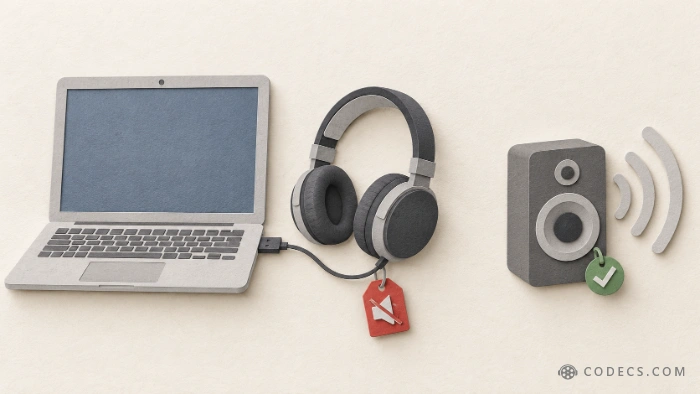
Some USB audio gear can go silent. Microsoft confirms that certain USB Audio Class 1.0 devices - think many basic USB headsets, desk mics and older USB sound cards - may show "This device cannot start (Code 10)", play no sound, or get stuck at zero volume. There is no fix date yet.
Skipping 26H2 won't dodge this one, though. Microsoft lists 24H2, 25H2 and even Windows 10 as affected too, so it comes from the monthly updates, not from 26H2 itself.
The Dolby Digital crash is fixed. The Dolby Digital crash that closed games and apps playing AC-3 sound was fixed in the 13 October update, KB5127648. The 26H2 ISO already includes it.
Remote Desktop for non-admin users can fail with error 0xC000000D. That mostly hits business setups, and Microsoft has a workaround for IT admins.
After the Upgrade: Check Your Videos Still Play
Through Windows Update, 26H2 is a tiny switch-on package, so your apps and codecs stay exactly where they were. A clean install from USB is different - it wipes everything, codec packs included.
If a video that played fine yesterday now shows only sound or a black screen, reinstall the free K-Lite Codec Pack. It brings back HEVC, MKV and Dolby audio support in one go.
Quick questions
Will Windows 11 26H2 install by itself?
Don't count on it. The safest move is to open Windows Update and select Download and install when 26H2 shows up. On 24H2 or 25H2 it takes one restart.
Is it safe to install 26H2 now?
For most people, yes - Microsoft widened the rollout to everyone after the earlier waves, and the Dolby crash and black-screen bugs are already fixed. If you rely on a USB headset or sound card, see the USB audio note above first.
How long does the 26H2 update take?
From 24H2 or 25H2, a few minutes plus one restart. A full upgrade with the Installation Assistant or ISO can take 30 to 60 minutes.
My PC is on 23H2 or Windows 10 - can I get 26H2?
Yes, if the hardware meets Windows 11's requirements, but it's a full upgrade rather than the quick switch. Use the Installation Assistant or the ISO.
26H2 is open to everyone now - if it's still hiding, install pending updates, flip the "first in line" switch, and you'll most likely see it today.
Still stuck? Grab the ISO with our 26H2 download guide, or tell us in the comments what Windows Update shows on your PC.


Latest news comments
AllInteresting development with the Fire TV Stick 4K — losing Kodi sideloading is a big deal for a lot of users. For those ...
News: The New Fire TV Stick 4K Can't Run Kodi - Here's Which Fire Stick Still Can 3 commentsBrave just enabled it by default for stable users yesterday (1.97). Not specified is chromeOS will be passively gaining decode capability too, and ...
Team replied News: JPEG XL Is Back in Chrome: What It Means and How to Open JXL Files 1 commentI didn't know it was EU, AND france. That doesn't sound like a good idea. Related to coding or privacy.
News: Meet Qwant: The Private, EU-Built Alternative to Google 1 comment