MPC-HC 2.8.3 is out, and the classic free media player finally looks at home on Windows 11.
The new version adds a Windows 11-style theme for its menus and dialogs, plus an option to use real Windows 11 menus with rounded corners.
You switch both on yourself, so updating alone will not change how the player looks - the steps are below.
If you just want the update, grab MPC-HC 2.8.3 and come back for the settings.
What Is New in MPC-HC 2.8.3
MPC-HC already had a modern dark theme, but it was modelled on Windows 10, with square corners and flat menus. Version 2.8.3, released on 8 October 2026, adds a second style based on Windows 11's design.
- Windows 11 theme style: a fresh look for the player's dialogs and menus, and you can pick it on any Windows version, Windows 10 included.
- Native Windows 11 menus: an advanced option that lets Windows draw the menus itself, rounded corners and all.
- Better HDR on older renderers: HLG videos - the HDR format used by TV broadcasts and many phones - get proper tone mapping in the EVR-CP and EVR Sync renderers, so they look less washed out.
- Updated parts: a newer MPC Video Renderer and the MediaInfo 26.10 library, which powers the file details window.
- Small fixes: better handling of CUE sheets - the little files that split one long album rip into tracks - plus general stability work.
How to Turn On the Windows 11 Look
First, make sure you are on version 2.8.3 - older versions do not have the setting. Then:
- Open MPC-HC and press O, or right-click inside the player and choose Options.
- Click Advanced at the bottom of the left-hand list.
- Find ModernThemeStyle and change its value to the Windows 11 style.
- Click OK, then restart the player if the menus do not change straight away.
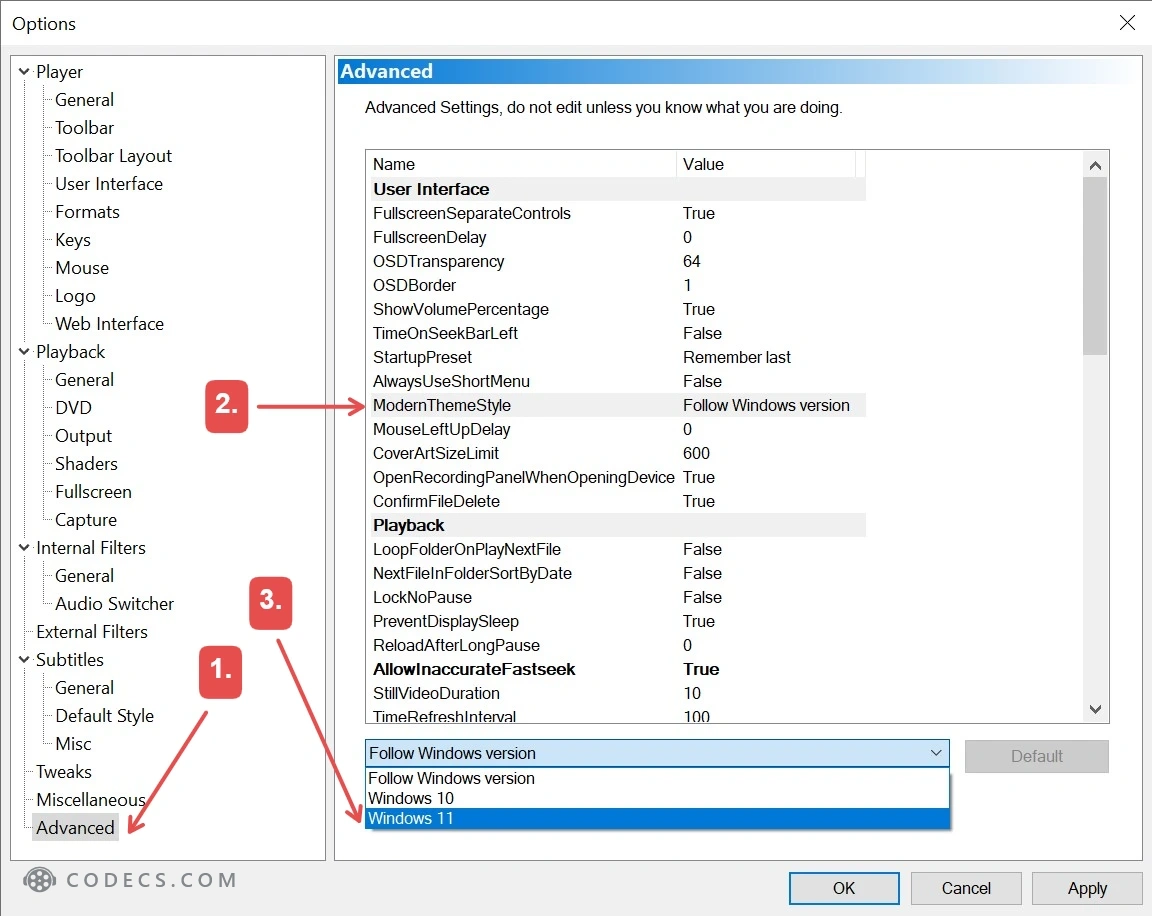
Want the rounded native menus too? Look in the same Advanced list for the option that turns on native Windows 11 menus, and switch it on.
Nothing changed?
The new style is a variant of MPC-HC's modern theme, so the modern theme itself has to be switched on. Set the theme to Modern in the User Interface section of Options, then try again.
Which Option Should You Pick?
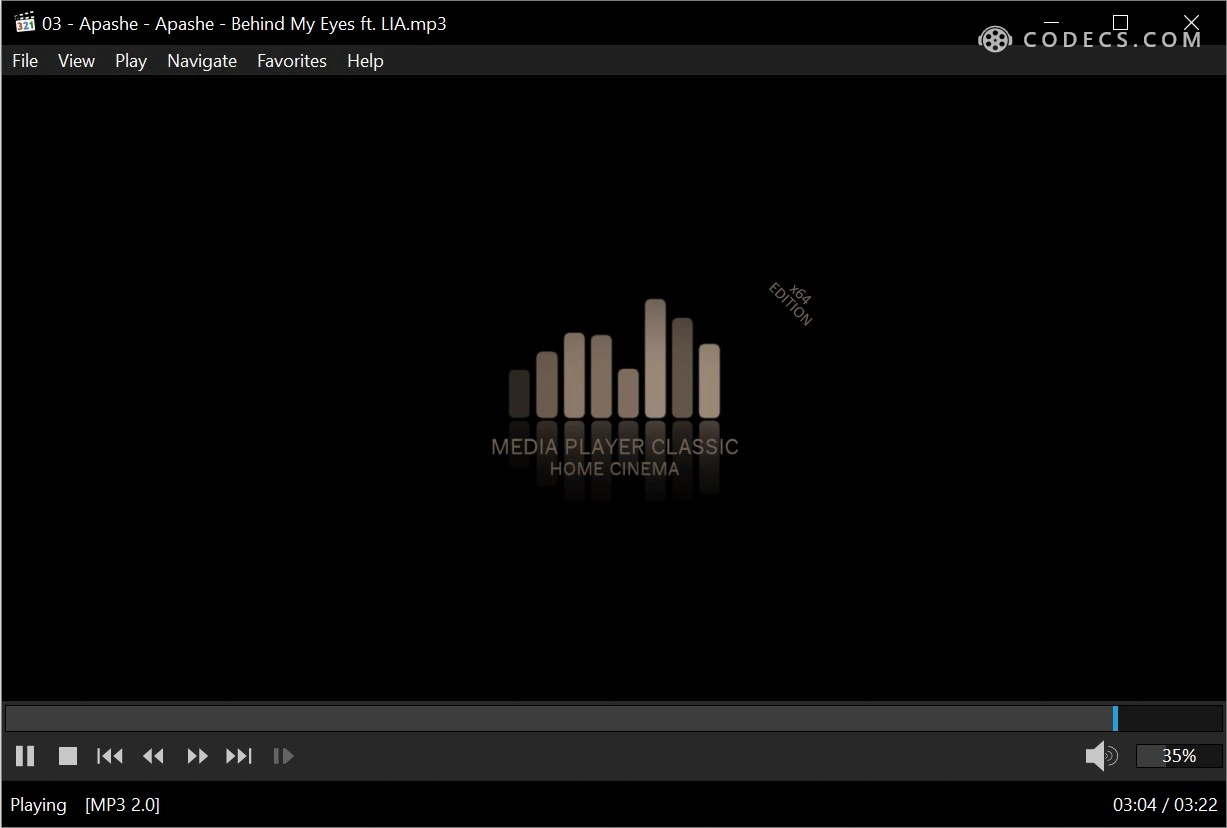
The theme style changes how MPC-HC draws its own windows and menus, and it works the same on Windows 10 and 11. Native menus go one step further - Windows draws them, so they match every other app on your PC.
The rounded corners come from Windows 11 itself, so that second option is really one for Windows 11 users. Prefer the old look? Change nothing - the classic and Windows 10-style themes are still there.
How to Update
Download the installer from our MPC-HC page and run it over your current version. Your settings normally carry over.
Installed MPC-HC as part of the K-Lite Codec Pack? Update K-Lite instead, because it installs and manages MPC-HC for you.
Full details are in the official 2.8.3 release notes.
Quick questions
Is MPC-HC still free?
Yes. It is free and open source, with no ads, no bundled extras and no paid version.
Can I use the Windows 11 theme on Windows 10?
Yes. The developers say you can choose the Windows 11 style regardless of which Windows version you run.
Does MPC-HC have a dark mode?
Yes - the modern theme is dark, and 2.8.3 now offers it in a Windows 10 style and a Windows 11 style.
Is MPC-HC still being developed?
Yes. The original project stopped in 2017, and a maintained version has carried on since, with regular updates like this one.
MPC-HC or MPC-BE - which one should I use?
Both are excellent and free. Our MPC-BE vs MPC-HC guide compares them side by side.
Same light, fast player underneath - now with a look that fits Windows 11.
Download MPC-HC 2.8.3 and give the new theme a try, or tell us which look you kept.


Latest news comments
All[link] Epg is not working on this one.
Team replied News: Free USA IPTV Playlist: The American TV That Is Really Free 1 commentInteresting development with the Fire TV Stick 4K — losing Kodi sideloading is a big deal for a lot of users. For those ...
News: The New Fire TV Stick 4K Can't Run Kodi - Here's Which Fire Stick Still Can 3 commentsBrave just enabled it by default for stable users yesterday (1.97). Not specified is chromeOS will be passively gaining decode capability too, and ...
Team replied News: JPEG XL Is Back in Chrome: What It Means and How to Open JXL Files 1 comment