Lossless purists say FLAC. Casuals say MP3. The truth depends on five concrete questions - your storage, your gear, your ears, your library size, and what you actually do with the files. Here is a real answer instead of a vibe.
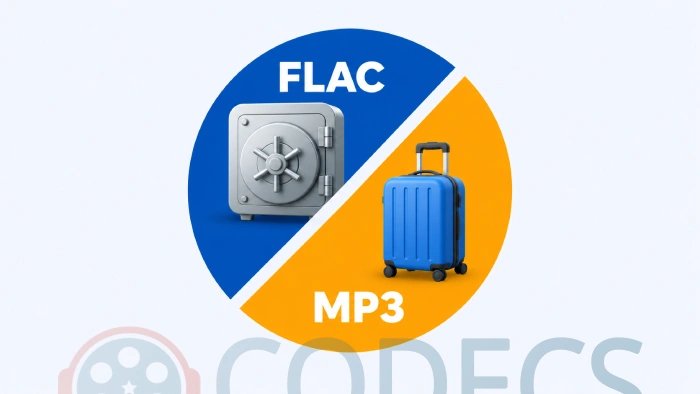
Pick by what you plan to do with the files, not by which format sounds more serious.
- Archiving, ripping, or anything you may re-encode later: use FLAC.
- Phone, car stereo, old Bluetooth speaker, anything you are sending to someone else: use LAME MP3 at V0 or V2.
- Streaming over mobile data, or voice content: neither - use Opus.
The rest of this guide shows the numbers behind those three lines.
The Two Formats in One Sentence Each
FLAC shrinks audio to roughly half the size of the original WAV while keeping every single bit of it, so decoding a FLAC gives you back the exact waveform you started with.
MP3 throws away detail the ear is unlikely to notice, so it decodes to something that sounds like the original without being bit-for-bit identical to it.
That is the whole technical distinction, and everything below falls out of it. If you want the format itself explained properly rather than compared, we have a guide on what FLAC actually is.
The File Size Numbers, Worked Out Properly
Most comparisons wave at this. Here is one four-minute stereo track at 44.1 kHz and 16-bit, which is CD quality, and the same track multiplied out to a thousand-track library.
| Format | One 4-minute track | 1,000 tracks | What it is for |
|---|---|---|---|
| WAV, uncompressed | 42 MB | 42 GB | The source everything else is measured against |
| FLAC, level 5 | 23-27 MB | About 25 GB | Your master copy |
| MP3 320 kbps CBR | 9.6 MB | About 10 GB | Bigger than V0 for no audible gain |
| MP3 V0 VBR | 7.4 MB | About 7 GB | Archival-grade lossy |
| MP3 V2 VBR | 5.7 MB | About 6 GB | The everyday sweet spot |
| MP3 128 kbps CBR | 3.8 MB | About 4 GB | Where MP3 earned its bad reputation |
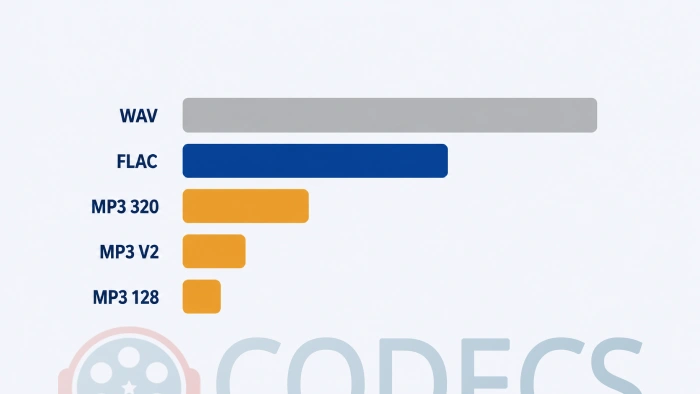
So the honest gap is smaller than the folklore suggests: at the settings people actually use, MP3 is about three to five times smaller than FLAC, not ten.
Look at your own device and your own library size before deciding. Storage is the most over-cited reason to pick MP3, and on anything bought in the last few years the sums often do not support it.
Can You Actually Hear the Difference?
Years of double-blind ABX listening tests, run by people with treated rooms and studio monitors, keep landing in the same place: most listeners cannot reliably tell a properly encoded LAME V2 MP3 from the FLAC it came from.
That is the unglamorous truth. On earbuds, on a phone, in a car, on a Bluetooth speaker, V2 is transparent.
On studio headphones in a quiet room, with attention, some trained ears can catch artifacts on specific material - massed cymbals, dense orchestral passages, applause. On any normal listening setup the difference is academic.
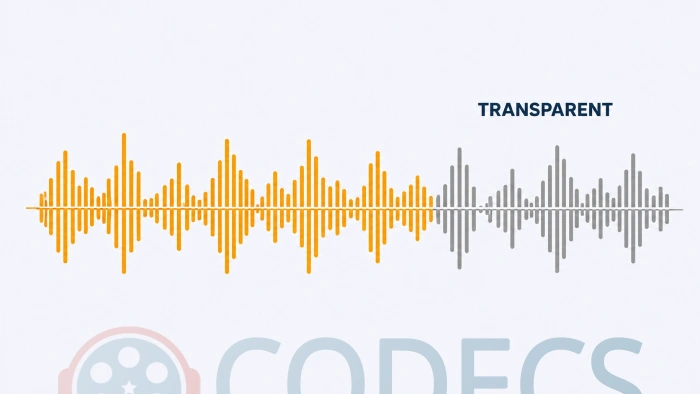
Where MP3 genuinely falls apart is at 128 kbps and below: smeared cymbals, watery reverb tails, audible harshness on sibilants. When people say MP3 sounds bad, they are almost always remembering old 128 kbps rips rather than a modern V0 or V2 encode.
Does the new LAME change any of this? No. LAME 4.0 arrived in July 2026, with 4.1 in development, and neither touches variable bitrate output - so every V0 and V2 recommendation on this page still stands.
For the exact settings that produce transparent results, our Best LAME MP3 Settings guide has the numbers in a table you can copy.
Compatibility - Where MP3 Still Wins Outright
MP3 plays on essentially every audio device made in the last 25 years. The 2007 car stereo plays it, the treadmill at the gym plays it, the speaker your aunt got for Christmas plays it.
FLAC support has improved enormously but is still not universal. Modern phones, players and software handle it natively, while older car infotainment systems, some smart TVs, certain streaming sticks and legacy MP3 players will not.
On Windows, FLAC plays natively in Windows 10 and 11 - Media Player, Films & TV, and File Explorer previews all handle it without anything installed. Earlier versions do not, which is where the old "Windows cannot play FLAC" reputation comes from.
Every current third-party player handles it too, including VLC Media Player and foobar2000. If you need a file that just works everywhere without you thinking about it, MP3 is still the only correct answer.
Which One Should You Use?
This is the part most articles leave vague. Find your row.
| If this is you | Use | Why |
|---|---|---|
| Archiving CDs, vinyl rips or masters | FLAC | You can always make MP3s from FLAC later, never the other way round |
| DJ, producer or mastering work | FLAC | Further processing needs a bit-perfect source |
| Home hi-fi with real amplification | FLAC | The one setup where the headroom is not theoretical |
| Expecting to convert to ALAC, Opus or MP3 later | FLAC | It is the master copy every other format comes from |
| Filling a phone or a portable player | MP3 V0 or V2 | A quarter of the size, and transparent on that gear |
| Car stereos, gym equipment, older Bluetooth speakers | MP3 V2 | The only format you can assume will open |
| Sending audio to other people | MP3 V2 | No support questions, ever |
| Streaming over mobile data | Opus | Competitive with MP3 at nearly twice the bitrate |
| Podcasts, audiobooks, voice recordings | Opus | Speech-tuned modes make talk content far smaller |
If Opus looks like your answer, the tidiest way to encode it on Windows is X Opus Encoder - a portable GUI over FFmpeg and libopus with EBU R128 loudness normalization built in, so your library plays at a consistent volume.
The Workflow Most Collectors Settle On
Here is the answer the FLAC versus MP3 question usually never reaches: you do not have to pick one.
Archive to FLAC, then generate MP3 copies from those FLACs whenever a device needs them. The master library never degrades and the portable library stays small and compatible.
- Rip your CDs straight to FLAC with Exact Audio Copy or CDex.
- Keep the FLAC files in one master folder and back that folder up.
- Make MP3 copies on demand at V0 or V2, using LameXP for batches or X Audio Converter for a portable Windows app.
- Sync only the MP3s to the phone, the car, or wherever they are going.
That is one extra step compared with going straight to MP3, and it future-proofs the library against every format change of the next twenty years.
Our CD ripping guide covers the ripper settings in detail, and the online audio converter handles the occasional one-off without installing anything.
If foobar2000 is already your player, the Free Encoder Pack adds FLAC and LAME encoding straight into its converter dialog - our foobar2000 conversion guide shows how to batch a whole library through it.
The Two Settings That Matter
FLAC compression level. Level 5 is the default and the right answer for almost everyone - levels 6 to 8 take far longer for a rounding error of extra saving, and levels 0 to 4 just waste space.
MP3 encoding mode. Use VBR at V2 for music or V0 for archival-grade MP3, and avoid CBR unless something downstream demands a fixed bitrate.
Both have a page of their own: the LAME settings guide lists the exact numbers per content type, and the VBR versus CBR guide explains why variable wins.
The Verdict
If you have to pick exactly one, the decision comes down to a single question: do you ever expect to do anything with these files other than play them?
If yes, FLAC. Backups, conversions, future formats, mastering work, library longevity - every one of those needs a lossless source.
If no, MP3 at V0 or V2. It will sound transparent on every consumer device you own, take a quarter of the space, and open on hardware you have not bought yet.
And if you can stomach one extra step, do both. Archive in FLAC, listen in MP3 - that is where people who have thought about this for years reliably end up.
Quick questions
Is FLAC actually better than MP3?
It is technically better, because it keeps every bit of the original. Whether that is audibly better depends on your gear and the encode - against a good V2 MP3 on normal equipment, almost nobody can tell.
Can I convert MP3 back to FLAC?
You can create the file, but it will not restore anything. The detail MP3 discarded is gone, so you get a FLAC-sized file containing MP3-quality audio - which is why the archive copy has to be lossless from the start.
How much bigger is FLAC than MP3?
Roughly four times bigger than MP3 at V2, and about two and a half times bigger than MP3 at 320 kbps. A thousand-track library is around 25 GB in FLAC against about 6 GB at V2.
Does Windows play FLAC without extra software?
Yes, on Windows 10 and 11 - Media Player, Films & TV and File Explorer previews all handle it. Older Windows versions do not, and that is where the format's reputation for being awkward came from.
Is 320 kbps MP3 better than V0?
Not audibly, and it is a larger file. Fixed 320 kbps spends the same data on silence as on a full orchestra, while V0 puts those bits where they are needed.
What should I use for podcasts and audiobooks?
Neither of these, if you control the playback. Opus in its speech mode is far smaller for talk content, and if you need MP3 for compatibility, V6 in mono is the setting to use.
Archive once in lossless, convert as often as you like - that is the version of this argument nobody loses.
Download FLAC for the master copies and LAME MP3 Encoder for the portable ones.
Then tell us which way you went if you have already made this call, or browse the rest of the audio codecs section.


Latest comments
AllInteresting development with the Fire TV Stick 4K — losing Kodi sideloading is a big deal for a lot of users. For those ...
News: The New Fire TV Stick 4K Can't Run Kodi - Here's Which Fire Stick Still Can 3 commentsThanks genius, it worked for me. v2.4.149.0 on windows 10
Guide: How to Download HEVC Video Extension for Free 181 commentsXMediaRecode gives only the option to Copy (No convert) in Audio Mode drop down. I am trying to convert/recode the EAc3 ...
Team replied Guide: How to Convert EAC3 Audio to AC3 or AAC With XMedia Recode 1 comment