Almost every guide on this subject still tells you to install a plugin, and almost nobody needs one any more.
Photoshop has opened, edited and saved WebP files on its own since version 23.2, which shipped in February 2022.
No plugin, no codec, no preference to switch on.
So the first job is not downloading anything - it is finding out which Photoshop you actually have.
The five-second check. Open any image, then go to File and Save a Copy. If WebP is in the Format dropdown, your Photoshop already handles it and you can stop reading here.
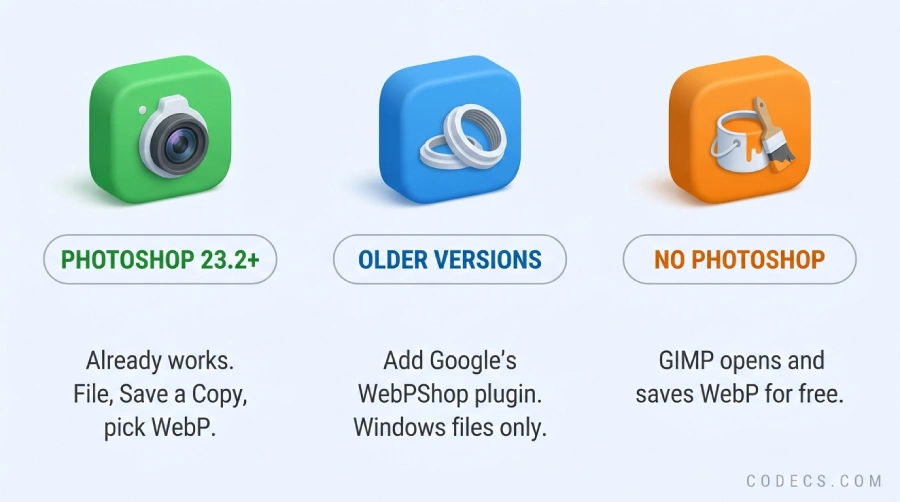
Photoshop 23.2 and Newer - It Already Works
Adobe added full WebP support in 23.2, and every release since has kept it. That covers Photoshop 2022 from its February 2022 update onward, and all of 2023, 2024, 2025 and 2026.
You open a .webp the same way you open anything else, through File and Open, and it arrives as a normal editable image with full layer support once you unlock the background.
Saving is the part people miss. WebP lives under File, Save a Copy rather than the plain Save As you are used to, because Photoshop treats it as a flattened export.
Adobe's own support note confirms both halves of this, and it is worth a look if a colleague insists you need a plugin: WebP support in Photoshop.
If Your Photoshop Is Older - The WebPShop Plugin
Photoshop 23.1 and anything below it never got WebP, and no update is coming for a version Adobe has moved on from.
That is where Google's free WebPShop plugin comes in. It is the only real option for an older install, and it is still the right answer for that reader.
- Go to the WebPShop releases page and take WebPShop_0_4_3_Win_x64.8bi on a normal PC, or WebPShop_0_4_3_Win_ARM64.8bi on an ARM machine such as a Snapdragon laptop.
- Copy that one file into C:\Program Files\Common Files\Adobe\Plug-Ins\CC.
- Close Photoshop completely and start it again - plugins are only read at launch.
Your browser will complain, and the file is fine. A .8bi is an executable plugin, so Chrome and Edge both flag it as an insecure download. Take it from Google's own releases page above and nowhere else, and keep the warning if you find that file on any other site.
If that folder does not exist on your machine, Adobe documents where every Photoshop version keeps its plugins: locate your plug-ins folder.
Mac users, read this first. The 0.4.3 release contains Windows files only. macOS is stuck on the earlier 0.4.2 universal build, and macOS will refuse to open it until you clear the quarantine flag from Terminal, which the releases page explains.
The One Thing Built-In Support Still Cannot Do
There is a reason the plugin has not been deleted from the internet, and it is worth knowing even on a current Photoshop.
Native WebP support handles still images only. Animated WebP files, the ones that behave like a GIF, do not come in as frames, and there is no live preview of quality while the encoder works.
WebPShop does both. So if animation is your job, the plugin is still the tool, and it will sit alongside the built-in support without any conflict.
| What you need | Built into Photoshop | WebPShop plugin |
|---|---|---|
| Open a still .webp | Yes | Yes |
| Save a still .webp | Yes, via Save a Copy | Yes, via Save As |
| Animated WebP | No | Yes, as frames |
| Live quality preview | No | Yes |
| Photoshop versions | 23.2 and newer only | Older versions too |
| Still maintained | Yes, part of Photoshop | No, last release April 2022 |
No Photoshop? Two Free Ways In
If you landed here because a client sent you a .webp and you do not own Photoshop, you do not need to buy it for one file.
GIMP is free, open source, and has read and written WebP for years with no add-ons. It opens the file with layers intact and exports back to WebP, PNG or JPEG.
For a folder of them rather than one, Converseen converts and resizes in bulk, and there is a browser route in free WebP converters if you would rather install nothing at all.
Two Things Worth Fixing While You Are Here
Photoshop opening a WebP does not mean Windows will preview one, and those are two separate pieces of software.
If File Explorer shows blank icons where your thumbnails should be, WebP Image Extensions is the free Microsoft add-on that fixes it, and our guide to viewing WebP files on Windows covers the rest.
The other one is AVIF, which is arriving in client folders now for the same reasons WebP did. Photoshop still needs a plugin for it, and we wrote that up separately in how to open AVIF files in Photoshop.
Quick questions
Which Photoshop version do I need for WebP?
23.2 or newer, which means Photoshop 2022 from its February 2022 update onward. Check under Help and About Photoshop, or just look for WebP in the Save a Copy format list.
Why is WebP missing from Save As?
Photoshop puts it under File and Save a Copy instead, because saving to WebP flattens the file. Save As only offers it when there is no risk of losing layers.
Do I still need the WebPShop plugin?
Only for two things: a Photoshop older than 23.2, or animated WebP files. For ordinary still images on a current Photoshop it adds nothing.
Is WebPShop still being updated?
No. The last release was April 2022 and it shipped Windows builds only. It still works, but treat it as a frozen tool rather than a maintained one.
How much smaller is WebP than JPEG?
Google's own figures put lossy WebP at 25 to 34 percent smaller than a JPEG of matching quality, and lossless WebP at about 26 percent smaller than a PNG. Real files vary, and we put the numbers side by side in AVIF against JPEG and WebP.
Can I go the other way and turn a WebP into a PNG?
Yes, and you do not need Photoshop open to do it. A browser tool such as WebP to PNG handles it in seconds and keeps transparency.
Check the Save a Copy list before you install anything - on a current Photoshop the answer is already there.
If your copy is older than 23.2, or you do not have Photoshop at all, GIMP handles WebP for free, and tell us how you got on if a different route worked for you.


Latest reviews
AllJPEG XL Is Back in Chrome: What It Means and How to Open JXL...
5/5Brave just enabled it by default for stable users yesterday (1.97). Not specified is chromeOS will be passively gaining decode ...
The New Fire TV Stick 4K Can't Run Kodi - Here's Which Fire ...
5/5Really interesting news - I had no idea Amazon was switching the new Fire TV Stick 4K over to ...
Free Popular IPTV Playlist: Where to Get Fresh, Legal M3U Li...
5/5Hi! Thanks for creating this list, and I have a small question: why do the channels I used to ...