MPC-BE and MPC-HC both shipped a new release in the same week of August 2026, which quietly retires the old advice that one of them is the modern choice and the other is the lightweight leftover.
They are siblings, not rivals from different eras.
Both are free, open source, Windows only, portable, and both play HEVC, AV1, HDR and Dolby Vision on a clean install with no codec pack.
So the honest answer is that most people will be happy with either, and this guide is about the handful of differences that can actually swing it.
Skip to the table if you want the short version.
Both Are Alive, and That Changes the Old Answer
MPC-HC 2.8.0 arrived on 10 August 2026. MPC-BE 1.9.1 arrived on 8 August 2026.
Two days apart, from two small teams that have both been shipping steadily for years. Older comparisons, including the previous version of this page, treated MPC-HC as a frozen classic, and that has not been true since 2021.
The practical effect is that the features people used to choose between are now on both sides. Both bundle LAV Filters for decoding, and both ship MPC Video Renderer for drawing the picture.
Why HDR used to be the dividing line. MPC-HC once defaulted to an older renderer that got HDR colours wrong unless you knew to change it, which is where the "MPC-BE is the one for HDR" advice came from. MPC-HC now sets MPC Video Renderer as the default and checks your graphics card once after updating, so that gap has closed.
Where They Come From
Both descend from Gabest's original Media Player Classic, which stopped development in 2006. That shared ancestry is why the two look and feel so alike.
MPC-HC forked first and carried the original name. The project shut down in 2017 and was picked up shortly after by a developer known as clsid2, who has maintained it ever since.
MPC-BE split off in 2012 on its own path, led by Aleksoid1978, and has been adding its own filters and interface work ever since. It is a separate line from the same root, not an unrelated program.
What MPC-HC Gives You
MPC-HC is the more widely used of the two by a wide margin, and it has the friendlier route in for anyone who does not want to configure a player.
Its own installer is deliberately minimal and the developer has said it will stay that way. The way around that is the K-Lite Codec Pack, which bundles MPC-HC and sets up file associations, subtitle languages, hardware decoding and HDR during setup.
The Standard version covers most people. The Mega version adds encoding tools and madVR if you want them.
Version 2.8.0 also added a proper history manager, the option to supply default settings for fresh installs, and a separate history file when settings live in an INI. None of that is glamorous, and all of it matters if you set this player up on more than one machine.
What MPC-BE Gives You
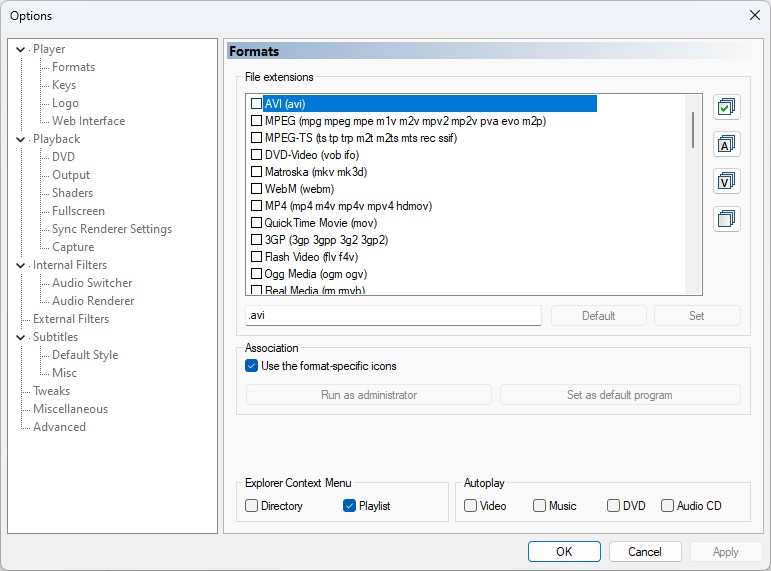
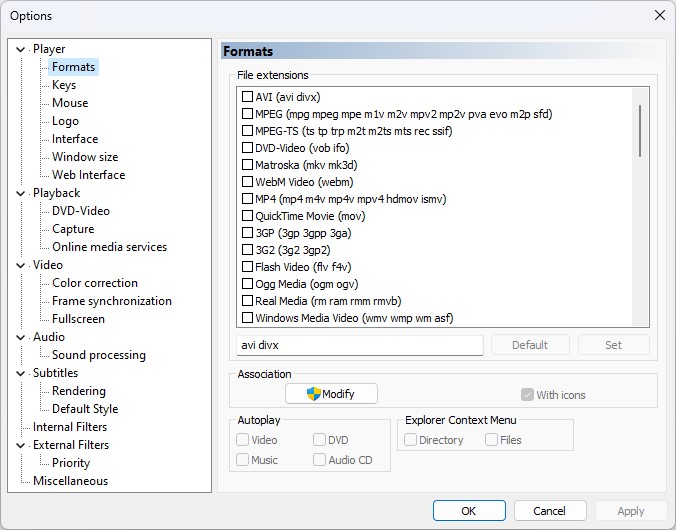
MPC-BE carries more of its own parts. Alongside LAV Filters it ships its own splitters, decoders, image source and script source, so there is simply more inside the Options tree to change.
It is also ahead on one format that nothing else on this site covers yet. Version 1.9.1 bundles the vvdec decoder, which means MPC-BE plays H.266/VVC video, including VVC inside FLV.
VVC is still rare, so this only matters if you have already met a file that nothing would open. If you have, it is the single clearest reason to pick MPC-BE.
Subtitle-heavy viewers get good ASS and SSA styling through xy-VSFilter, and YouTube links are handled by yt-dlp rather than a built-in parser that breaks every few months.
The Differences That Actually Matter
| What | MPC-HC 2.8.0 | MPC-BE 1.9.1 | What it means for you |
|---|---|---|---|
| Latest release | 10 August 2026 | 8 August 2026 | Nothing to choose between them |
| HDR and Dolby Vision | Yes, on by default | Yes, on by default | No longer a reason to pick either |
| HEVC, AV1, VP9 | Yes, built in | Yes, built in | Neither needs a codec pack |
| H.266 and VVC | Not included | Yes, via vvdec | The one clear win for MPC-BE |
| Bundled in K-Lite | Yes | No | The one clear win for MPC-HC |
| Built-in filters to tweak | Mostly LAV Filters | LAV plus its own set | Pick MPC-BE if tinkering is the point |
| Portable build | Yes | Yes | Try both without installing either |
Choose MPC-HC If
- You would rather an installer configured file associations and subtitles for you, which is what K-Lite does.
- You are setting the same player up on several machines and want settings you can export and reuse.
- You prefer the option with the larger user base, which usually means faster answers when something goes wrong.
- You have no idea what a renderer is and would like to never find out.
Choose MPC-BE If
- You have an H.266 or VVC file that nothing else will open.
- You enjoy picking your own splitter, decoder and renderer instead of accepting defaults.
- You watch a lot of subtitled content and care about how styled ASS and SSA subtitles are drawn.
- You want the slightly more modern interface, which is a taste question and a perfectly good reason.
Who Should Look Elsewhere
Both are Windows only, with no Mac or Linux build and no plans for one. If you want the same player everywhere, VLC Media Player is the standard answer.
The tell is simple. Open the Options window in either player, look at the tree of filters and renderers, and notice your reaction - if it is a sinking feeling rather than curiosity, that depth is a cost to you rather than a feature.
PotPlayer sits in similar territory with more decided for you, and the full media players section has the rest.
Test Both in Ten Minutes
Both offer a portable build, so you can settle this on your own hardware without installing anything or touching the registry.
- Download the portable builds of both players and unzip each into its own folder.
- Play the same file in each, ideally the most demanding one you own.
- In each player, right-click the video and open Filters, then Statistics, to see which decoder and renderer actually handled the file.
- Watch for dropped frames rather than CPU percentages, since dropped frames are what you can see and CPU load is not.
- Delete the folder of whichever one you liked less. Nothing is left behind.
If both look identical, they probably are. On a default install the two players use the same decoder and the same renderer, so an identical result is the expected outcome rather than a sign you tested it wrong. At that point pick the interface you prefer and stop worrying about it.
Getting a Better Picture in Either One
The settings that matter are the same in both players, which is another sign of how close they now are.
Confirm the video renderer is set to MPC Video Renderer under Playback, then Output. Our MPC Video Renderer setup guide covers the settings worth changing.
Then check hardware decoding is switched on for H.264, HEVC and AV1. The LAV Filters hardware decoding guide explains which mode suits which graphics card.
People chasing the last few percent of image quality sometimes swap in madVR instead. It looks superb and it is demanding on your graphics card, so treat it as an experiment rather than a default. If you are not sure what a file even contains before you start, the online Codec Finder will tell you.
Quick questions
Is MPC-HC abandoned?
No. The original project closed in 2017 and the developer clsid2 took it over shortly after, releasing 2.8.0 on 10 August 2026. Pages that still call it dead are years out of date.
Which one is faster?
On a default install neither should be, because both use the same decoder and the same renderer. If one is visibly worse on your machine, the difference is in the settings rather than the player, and the Statistics window will show you where.
Do I need a codec pack with either of them?
No. Both bundle LAV Filters, so HEVC, AV1, VP9 and the common audio formats work straight away. A pack like K-Lite is still worth it if you want file associations and settings configured for you, or if other programs on your PC need those codecs too.
Which one plays HDR properly?
Both do, as long as the video renderer is MPC Video Renderer. That is now the default in both players, so on a current version you should not have to change anything.
Can I install both at once?
Yes. Use the portable builds and they will not fight over file associations or settings, which makes comparing them on your own files straightforward.
Do either of them run on Mac or Linux?
No, both are Windows only. VLC Media Player is the closest cross-platform equivalent.


